Article · Published July 2026
ForgeKit v1.7: Big Chungus
Safer foundations, better database workflows, and the first community catalogue

Version 1.7 is called Big Chungus because it grew a lot further than I originally planned. I sat down to ship a handful of database and UI improvements. What actually shipped includes those improvements, plus integration for the first substantial project built around ForgeKit by someone outside the project, plus a rewrite of how ForgeKit protects its own configuration and a host of other nitpicks I coudldn't help myself but add, especially with automation and concurrency improvements that would be amazing for the new updates we have planned.
This is the story of how that happened, and why each piece led to the next.
When a bug report becomes a workflow
Early on, a user named Derek started testing ForgeKit against real legacy projects rather than clean demo sites. That surfaced problems a fresh install never would. He emailed me at forgekit.tools@gmail.com, and we went back and forth for a bit, working through each issue he ran into as he found it.
Large SQL imports through phpMyAdmin were failing with a maximum execution time error. The phpMyAdmin runtime's own configuration and logs were hard to reach. The database server's my.ini and error log weren't visible from anywhere near the phpMyAdmin workflow. Clicking Download twice in the updates modal could start two downloads at once. And old Apache 2.2 .htaccess rules, the allow from and deny from syntax that a lot of older WordPress installs still carry, were throwing HTTP 500 errors under Apache 2.4.
None of these stayed as small, isolated patches. Fixing the timeout on large imports raised an obvious follow-up question: even with a longer timeout, uploading a multi-hundred-megabyte SQL file through a browser form is the wrong workflow. So phpMyAdmin got a server-side Large Imports folder instead: drop a file in directly, then pick it from the Import tab.
That single fix pulled the rest of the panel along with it. phpMyAdmin now has its own runtime controls (start, stop, restart), quick-open access to its configuration and log files, and visibility into the connected database server's my.ini and error log, all from the same place. The database panel picked up a Logs dropdown next to Config for quick access to mysql-error.log. MySQL and MariaDB settings got tuned for faster imports and exports. The updates modal now blocks duplicate downloads outright. And Apache instances enable mod_access_compat by default, so that legacy .htaccess syntax works instead of failing.
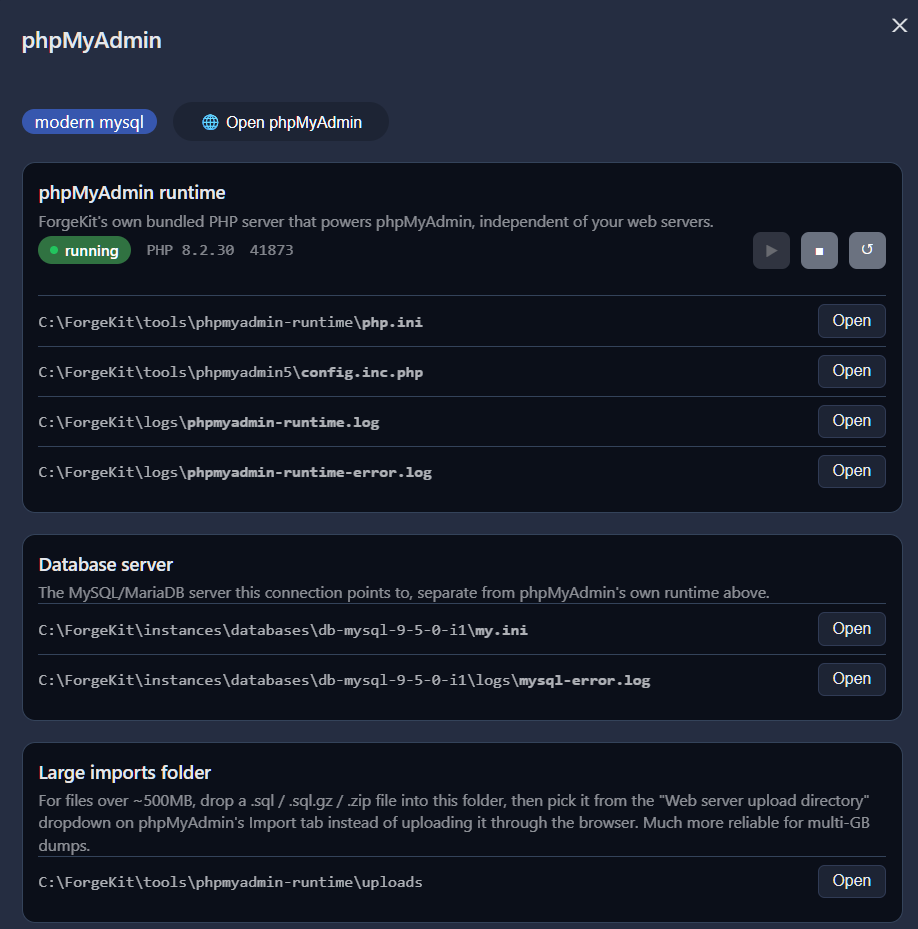
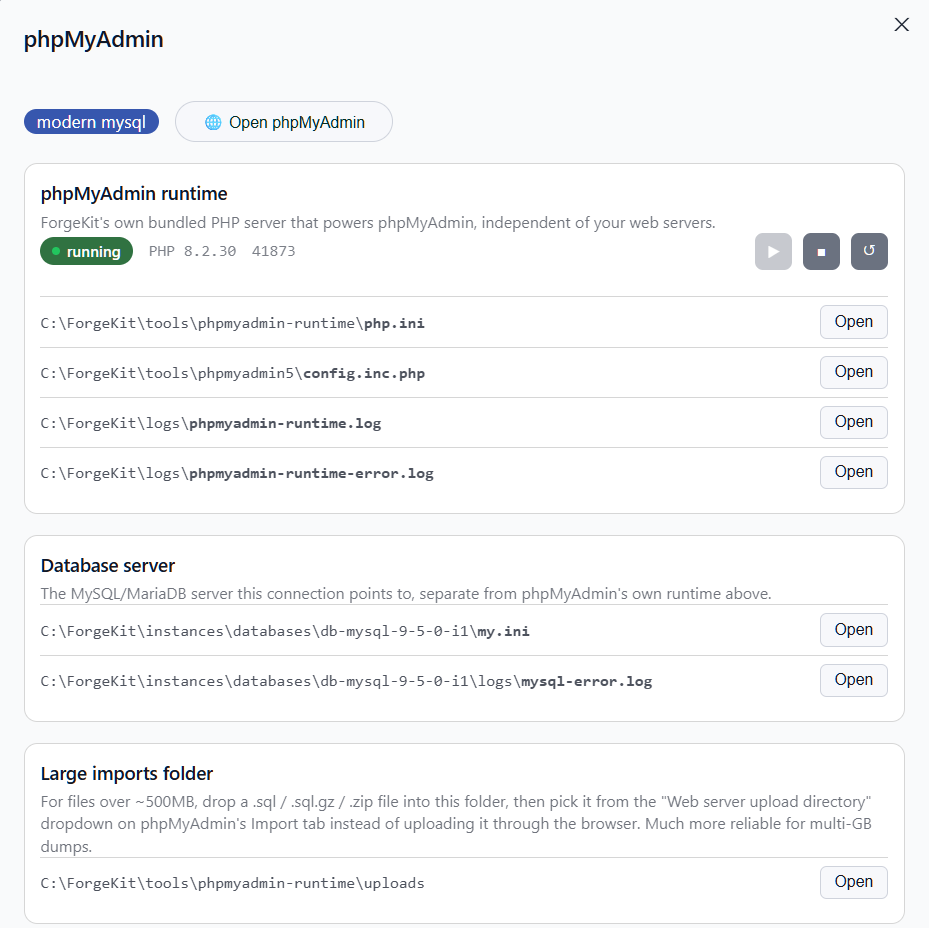
The redesigned phpMyAdmin panel: runtime controls, quick-open config and log files, and a Large Imports folder for multi-gigabyte SQL dumps.
I've probably thanked Derek a dozen times in our emails. Well here's another one. Thanks man!
The first community catalogue
Separately, a user named Nicola built something I didn't ask for and didn't expect: an independent, actively maintained service called the ForgeKit and WAMP Binaries Aggregator, at ampp.monsterman.it.
He isn't running a binary mirror. His catalogue is a maintained index of version numbers and download URLs, pulled from each project's own official location, PHP, Node.js, Apache, MySQL, MariaDB and others, on a controlled refresh interval so it doesn't hammer anyone's servers. It doesn't host or repackage the actual files itself; every download points straight back to its original upstream source. Hovering over a package inside ForgeKit shows that source URL before you install anything, so the origin stays visible the whole time.
That doesn't make community catalogue entries officially tested or guaranteed by ForgeKit. Nicola's catalogue still decides which URL and package metadata ForgeKit receives, so it's worth reviewing the source and treating community packages separately from ForgeKit's own official catalogue.
ForgeKit already supported custom binary catalogues through a local custom-binaries.json file, which is what made Nicola's project possible in the first place. But using it meant downloading his generated JSON and placing it manually. Once a real, maintained service existed on the other end of that file, the manual step was obviously just friction. So v1.7 adds support for pointing ForgeKit directly at an external catalogue URL. Binaries now show, via a badge and tooltip, whether they came from a local file or a remote catalogue, and if a community entry's ID collides with an official package, ForgeKit warns clearly instead of quietly hiding one of them.
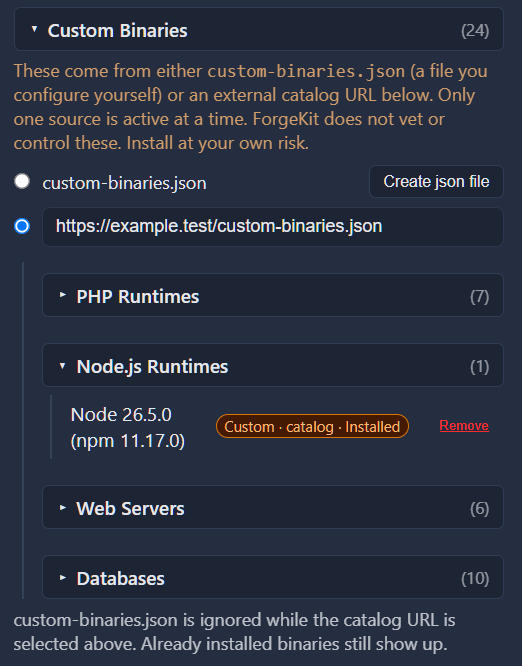
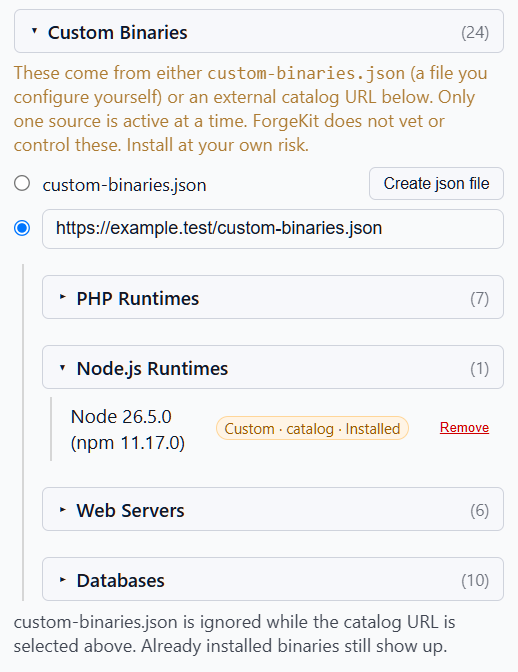
Manage Binaries now supports a catalogue URL alongside custom-binaries.json, with a badge marking each binary's source.
Thanks to Nicola, who built the first independently maintained ForgeKit-compatible binary catalogue and gave the external catalogue feature a real reason to exist. His site is independent, community-maintained, not an official ForgeKit service, and used at your own risk, exactly as he describes it himself.
Making the foundation ready for automation
ForgeKit's UI mostly serialises what you do. You start an action, a loader blocks anything else, the backend finishes or fails, the loader clears. That pattern makes it unlikely an ordinary user would ever trigger two competing configuration writes through the interface as it exists today.
But while expanding the automated test suite this release, a deterministic test proved that the backend itself wasn't safe if two operations ever did overlap. The unsafe mechanism, in ForgeKit's binary bookkeeping, looked like this:
Operation A reads binaries.yaml
Operation B reads binaries.yaml
Operation A adds an entry and saves
Operation B saves its older copy
Operation A's entry is gone from the final file
The actual binary files would still be sitting on disk. The state file just wouldn't know about one of them any more. That's a real, provable flaw in the persistence code, not something I'd traced to a widespread incident in the wild. It needed a mutex, but only around the fast bookkeeping step, not the slow download and extraction happening beside it:
Download and extract                     run concurrently
Load, merge or remove, save bookkeeping  protected by a mutex
That test prompted a wider look at ForgeKit.yaml itself, the file holding sites, web server and database instances, ports, preferences, and most other application state. Over time the codebase had accumulated several different ways of reading and writing it: sites had their own load-change-save path, instances had another, preferences had a third, and other parts of the app mutated a cached copy and called a plain Save() directly. Nobody set out to build four ways to save the same file. It happened because each feature was added at a different time, and each one had its own reasonable-looking local solution.
Every write now goes through one function:
config.Mutate()
lock, load fresh, apply one change, save, sync cache, unlock
Reads use a matching config.Snapshot(). More than a dozen call sites were migrated across sites, instances, preferences, web server control, database control, editor settings, and terminal settings.
The current UI already prevents most of the dangerous overlap. Future entry points, MCP tool calls, a direct API, background diagnostics, automated recovery, won't necessarily be as polite about it. This work moves the guarantee down into the persistence layer itself, rather than leaving it dependent on every caller, present and future, behaving one at a time.
What the refactor exposed during development
Testing the refactor against the running ForgeKit application before v1.7 shipped surfaced two subtler problems.
config.Mutate() holds a lock while it calls the function you give it, and that function can call other functions several layers deep. One of those deeper helpers, while preparing a new web server instance, tried to read a setting by calling config.Snapshot(), which needs the same lock. Go's mutex isn't reentrant, so that second attempt just blocked forever on the same goroutine that already held it. Creating a web server would simply hang, no error, no timeout. The fix was to pass that one setting down as a plain value instead of reading it again from inside the lock.
Separately, a helper had been changed to return a safe, private copy of an instance rather than a live reference into shared state, a correct fix for a different, narrower problem. But other code further down the same function had been quietly relying on that old live reference staying in sync after a port change. It didn't any more. The result: changing an Nginx site's port would rewrite its config to expect PHP on the new port, but start the actual PHP process on the old one, so every request came back as a permanent 502 until a second restart. Fixing it meant explicitly refreshing that local copy after each change, rather than assuming it would update itself.
A third, narrower issue turned up alongside it: ForgeKit's router could be told about a new port before the restarted server was confirmed listening on it, leaving a brief window where a request could hit nothing. That one predates this release; it just became visible under closer testing. It's now sequenced so the router only switches once the restart is confirmed.
The visible side of Big Chungus
Alongside all of that, the main window was redesigned: the Sites, Web Servers, and Databases panels resize properly now, there's a live status strip, the Jobs tray was rebuilt and moved to the bottom right with a working Cancel button that cleans up partial downloads, and the light theme got a pass. The updates modal now shows everything you've missed between your version and the latest, not just the newest release, with its action bar pinned in place. Opening a log file that hasn't been written yet creates an empty one instead of failing outright. The full list is in the changelog.
This is the same interactive preview from the ForgeKit homepage. Try Preferences, the Jobs tray, or the Update button below.
Swipe to explore the app preview →
What's next
Onboarding and project migration didn't make it into v1.7, deliberately. The release was already big enough. The next focus is the first ten minutes: finding existing projects, spinning up working .test domains with HTTPS with less setup, and continuing to prepare the backend for MCP and API-driven workflows.