Article · Published July 2026
ForgeKit v1.8: The Completionist
Mailpit, Redis, Memcached, and a full sweep of UI improvements

ForgeKit's whole pitch has become "the full windows php experience". v1.8.0 is the release where I feel like it's finally got everything you need. It's called The Completionist because it closes out the last few boxes that were sitting unchecked.
The last three rows on the checklist
A while back, someone emailed a feature comparison they'd put together, lining ForgeKit up against the other Windows local-dev tools row by row: PHP versions, Node versions, multiple web servers, database engines, LAN access, you know the stuff. Well, there were 3 things on there that we were missing according to this person.
1. Mailpit
We added Mailpit inboxes. You can make multiple and tie them to a web server's PHP mail() with a click. Nothing wires itself up automatically, a web server can be moved between inboxes whenever you want, and inboxes respect the LAN preference the same way web servers already do. Each inbox also shows ready-to-copy SMTP connection info for apps that configure their own mail client instead of using PHP's built-in one, with Laravel and Symfony examples included.
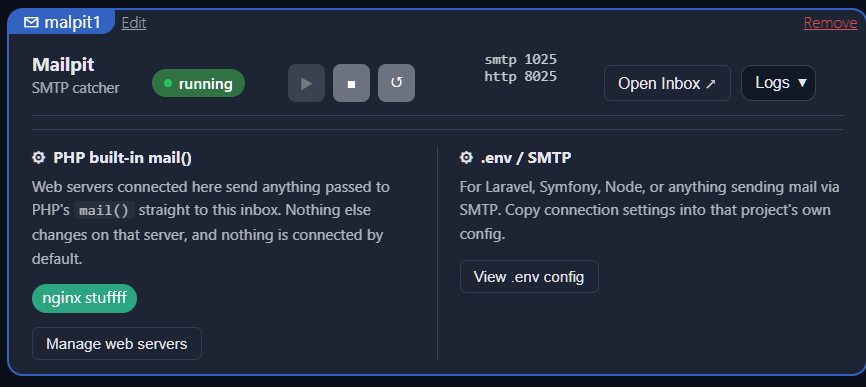
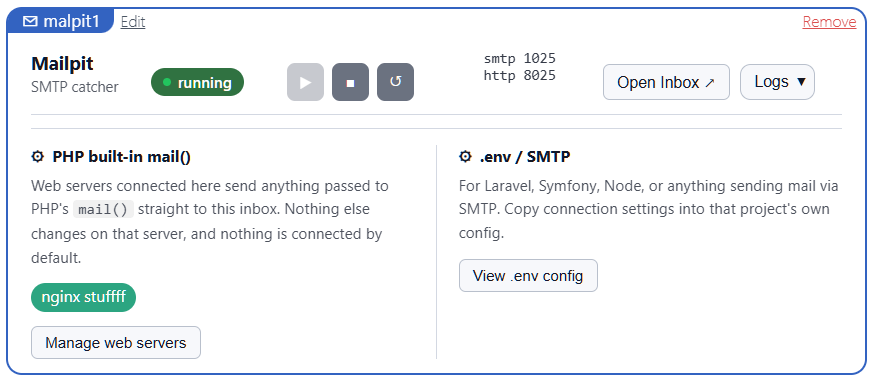
A Mailpit inbox: start/stop/restart controls, an Open Inbox link, and both connection paths (PHP mail() and raw SMTP) in one place.
2.Redis and 3.Memcached
Cache Servers is the second new tab: add, start, stop, restart, and remove Redis and Memcached instances the same way you already manage web servers, databases, and mail servers. Redis gets its own redis.conf per instance, created once and never overwritten again, so you can open it from the instance's Config menu and turn persistence back on (or change anything else) without ForgeKit clobbering your edits on the next restart. Both engines show the same style of ready-to-copy connection info as everything else in the app:
REDIS_HOST=127.0.0.1
REDIS_PASSWORD=null
REDIS_PORT=6379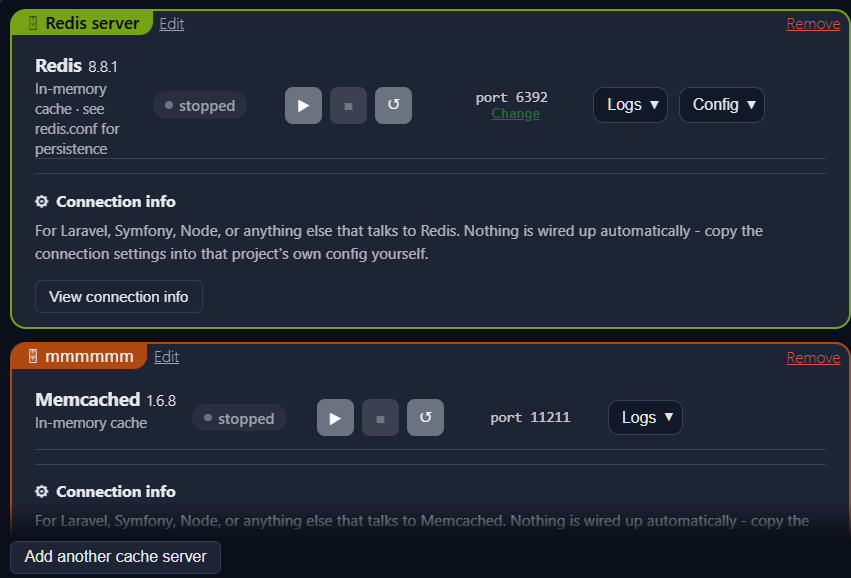
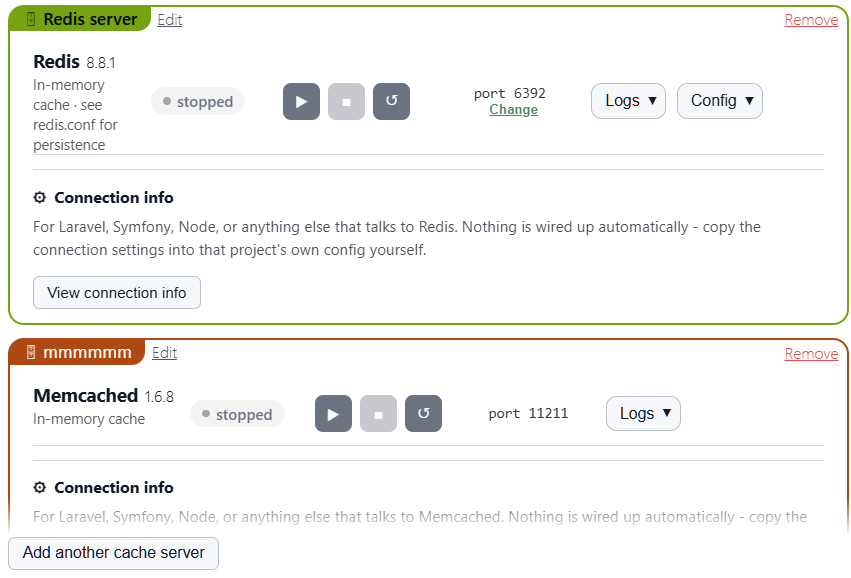
Redis and Memcached side by side. Redis 7.0.15 and 8.8.1 are offered out of the box. Memcached has 1.6.8. All installed and managed through the existing Manage Binaries flow.
Both new engines save their state through config.Mutate(), the single locked read-modify-save path that v1.7's reliability rewrite introduced for sites, instances, and preferences. Two brand-new instance types went in without needing a fourth or fifth way to touch ForgeKit.yaml, which is exactly the point of building that foundation in the first place: it's cheaper to add the next thing on top of it.
The person that put that comparison chart together, you know who you are, thank you. It was exactly the kick I needed to stop deferring these three.
Kris, and the docs from the dark side
Separately, someone named Kris emailed forgekit.tools@gmail.com with a much smaller, much more specific complaint: he didn't like the site's dark mode and well, dark mode in general. So I took a day and made a dark/light mode switcher for the whole site. It wasn't that hard. The hard part was me then taking screenshots of both light and dark mode of every feature of ForgeKit. That took a bit but now you only see the screenshots that match the theme you have selected. I really like the end result and Kris does too. :D
Thanks Kris!
The side quests
Alongside the headline features, a long list of smaller fixes shipped too.
Manage Binaries & toasts
The Manage Binaries list no longer flickers while an install or removal is running, and it no longer waits on a custom catalog to load before showing you the official one. Error messages and infos now have selectable text and a copy button.
Agent widget
The agent widget no longer flashes a false "port already in use" or "agent not running" warning during ordinary startup, shows a proper "Starting" state instead, and now tells you whether a port conflict is just a previous ForgeKit instance still shutting down (it resolves itself) or another app you'll need to close yourself.
Router landing page
The router landing page got a search box for once you have more than a handful of sites, a Mail Servers section listing every Mailpit inbox with an open-inbox link, and a fix for https://127.0.0.1/ failing with a TLS error (the auto-issued localhost certificate now includes IP address SANs, and existing installs repair themselves automatically).
phpMyAdmin
phpMyAdmin's startup timeout was raised, since antivirus scanning php.exe for the first time on a fresh machine can take longer than the old 15 seconds allowed, and a stalled attempt now offers a Try Again button instead of a dead end.
PHP, nginx & the CLI
PHP got several defaults it should have had from the start: the gd extension turns on automatically when its DLL is present, memory_limit and max_execution_time were both raised for new sites, date.timezone now defaults to UTC, and both Apache and nginx sites finally get the same PHP defaults (nginx previously got none of them). New PHP binaries and phpMyAdmin's runtime also ship with a CA certificate bundle, fixing the classic "SSL certificate problem" on any outbound HTTPS call from PHP's cURL. On the CLI side, fkit npm/node/npx and friends now hand child processes a PATH prefixed with the site's own Node folder, so postinstall scripts that shell out to node by name can find it even on a machine with no Node installed globally.
Preferred Apps & the rest
Preferred Apps detection got noticeably wider: PowerShell 7, Command Prompt, WezTerm, Alacritty, and ConEmu/Cmder for terminals, PhpStorm, WebStorm, Zed, GVim, and Neovim Qt for editors. A manually picked .exe is recognized by filename too, so it still gets full support instead of a bare launch. Add Instance and Edit Label got a UI pass with color swatches, Add Instance now sends you straight to Manage Binaries when nothing's installed yet instead of showing a form you can't submit, and both the PHP version and Node version dropdowns show an installing item live instead of just leaving it out until it's done. The full list, including everything not mentioned here, is in the changelog.
Making friends with Windows Defender
During fresh-install testing, Windows Defender's real-time protection quarantined several unsigned ForgeKit builds. It removed ForgeKit.exe on one run, the installer (ForgeKit-Setup.exe) on another, and separately flagged a development build of forgekit-agent.exe while it was downloading the Memcached package.
Trojan:Script/Wacatac.C!ml   ForgeKit.exe / ForgeKit-Setup.exe
Trojan:Win32/Suschil!rfn     forgekit-agent.exe (development build)
These were heuristic detections rather than detections tied to a known malicious file. ForgeKit is not code-signed yet, so each new build starts with no established reputation and performs several actions that security software naturally watches closely: downloading executables, creating local services, modifying configuration, and launching other development tools.
The useful question was whether anything newly added in v1.8 made those heuristics more likely to fire. The strongest suspect was the expanded Preferred Apps detection: ForgeKit had started checking the Windows App Paths registry key and several Scoop, Chocolatey, and WinGet locations, while also launching some terminal emulators with a modified process-level PATH.
That additional probing was rolled back before release. Terminal and editor detection still works through the user's normal PATH and each application's usual installation folders, but ForgeKit no longer searches the registry or package-manager shim locations as a final fallback. Automatic PHP and Node path injection for Alacritty and ConEmu was also removed. WezTerm uses a separate implementation and is unaffected.
Testing could not conclusively prove that these changes were the trigger. On-demand scans returned clean results for builds both with and without them, while Defender's real-time behavioural checks only run when the application is actually executed and are difficult to reproduce consistently. The rollback was still a sensible trade: it removed non-essential behaviour that could look suspicious without affecting ForgeKit's main functionality.
Code signing is the proper long-term fix and remains planned. Until then, Defender may occasionally flag a new ForgeKit build because it is unsigned and has not yet established reputation. When that happens, check the published release checksum against the downloaded installer and review the detection in Windows Security's Protection History before restoring or allowing it.
Try it yourself
Mail Servers and Cache Servers are both live in the interactive preview below, the same one on the ForgeKit homepage. Add an inbox, add a Redis instance, and poke around.
This is the same interactive preview from the ForgeKit homepage.
Swipe to explore the app preview →
What's next
Onboarding and project migration, the thing I said was next at the end of the last article, still didn't make it in. Closing out the comparison-chart gap and the light-mode sweep took priority instead. That work, finding existing projects, faster .test domains with less setup, and preparing the backend for MCP and API-driven workflows, is still next. So yeah no worries guys, that is coming too :D