New
← All guides

Guide · Last updated: October 2026

Best Local PHP Development Environments for Windows in 2026

Seven tools, compared on the things that actually decide it: how each one models a "local environment," what it costs, whether it nags you, and whether two projects on the same machine can disagree about their PHP or Node version without a fight.

Every claim about pricing, licensing, and built-in services was checked against each vendor's own site and documentation in July 2026, and every source is listed at the bottom. Where something could not be confirmed, it says so instead of guessing.

This page is published by ForgeKit, and ForgeKit is one of the seven. That is worth knowing up front. The comparison below is written so you can check it yourself rather than take our word for it, and it says plainly where other tools win.

A note from the ForgeKit maintainer

I built ForgeKit after years of the same Windows PHP problem: every tool I tried either switched PHP globally, hid its configuration from me, pulled me into a container stack I did not want, or interrupted me to buy a license.

I think ForgeKit is the better choice for that specific situation, and the comparison below is where I make that case with details you can verify. It is still a young tool with a small community, it is closed source, and it only runs on Windows. Those are real reasons to pick something else, and they are listed here as plainly as the advantages.

Methodology and limits

This is a practical product comparison, not a lab benchmark. ForgeKit is the tool I know from the inside, since I build it. For the other six, pricing, licensing, and built-in services come from each vendor's own site and documentation, checked in July 2026 and linked in Sources below.

What was compared

Environment model, PHP-version handling, per-project Node.js, bundled services, pricing, and licensing.

What was not tested

No controlled performance benchmark was run across all seven. "Bundled" isn't treated as automatically better than "added yourself" either: Docker deliberately expects you to add Redis or Mailpit as a container, that's a different model, not a missing feature.

What to verify yourself

Pricing, license terms, and free-tier limits change over time. Confirm them on each vendor's own site before deciding, the Sources section links exactly where each claim here came from.

The short answer

If you only read one section, read this one. Find the row that sounds like you.

Your team already ships everything with Docker Compose

Docker + WSLNothing else here gives you production parity. Accept the WSL2 requirement and the resource overhead as the price.

You want the code to be open source above all else

FlyEnvBSD 3-Clause, and it still bundles Redis, Memcached, and Mailpit while running PHP versions side by side. XAMPP is the other open option (GPL) but is far more limited. ForgeKit is closed source and loses this one outright.

You are learning PHP, or you need one simple PHP and MySQL site

XAMPPIt is free, everywhere, and every tutorial assumes it. You will outgrow it the moment you need a second PHP version, but that is fine until you do.

You build Laravel almost exclusively and will pay for polish

Laravel HerdThe most refined Laravel workflow available, with first-party Forge and Reverb integration. Budget $99/yr for Pro if you want Redis or its mail catcher.

You need languages well beyond PHP in one app

ServBay or FlyEnvBoth manage Node, Python, and more alongside PHP. ServBay is the more commercial product; FlyEnv is free and open source.

Laragon already works for you and your setup is stable

Keep LaragonIt earned its reputation for good reason, and a working local environment is worth more than a marginally better one. Revisit this only if the license popup wears on you, or you need several PHP versions running at once.

You run several Windows PHP projects on different PHP versions, and you want to see the config

ForgeKitThis is the case it was built for, and where we think it is the strongest option. Free with nothing gated, no nag screen, and every generated vhost, php.ini, and log opens from the UI.

Why environment model matters more than a feature list

These seven get compared as if they are one category, but they are built around different ideas of what a "local environment" even is:

  • Global bundled stack (XAMPP) - one Apache, one PHP, one MySQL, shared by everything on the machine.
  • Native desktop app (Laragon, Laravel Herd) - a polished app manages runtimes for you, usually one active version at a time.
  • Broad native runtime platform (ServBay, FlyEnv) - one app spanning many languages and services, each project configured within it.
  • Container-defined environment (Docker + WSL) - the environment's definition lives in a Dockerfile or docker-compose.yml, so it's reproducible on any machine that can run it.
  • Instance-based native environment (ForgeKit) - separate PHP, web-server, database, and supporting-service instances can run side by side. Each site is assigned to the web-server/PHP instance and Node.js version it needs.

That's why "does it include Redis" is the wrong first question. The better one is: when two of your projects disagree about what version of something they need, does the tool make that a five-minute decision, or a real problem? The table below is built around that question, not a feature checklist.

Comparison

One table. Environment model first, then pricing and licensing, then whether two projects can genuinely use different PHP or Node versions at once, then how services like Redis and Mailpit are actually delivered.

ToolEnvironment modelPricingOpen source?Concurrent PHPPer-project NodeServices modelMain limitation
XAMPPGlobal bundled stackFreeYesGPL-licensed bundle; bundled components carry their own licensesNoOfficial guidance is a separate XAMPP copy per version, not switching within one installNoDoesn't manage Node.js at allManualNo Redis or Memcached bundled; ships the legacy Mercury Mail server instead of a modern catch-all inboxBecomes awkward once you need more than one PHP version, or many isolated projects
LaragonNative desktop appFreemiumFree for non-commercial use only, with a startup licence popup. Commercial use, including client work, needs a licence: $49-69/yr or $149-199 lifetime. Non-commercial licences from $10NoClosed source, despite bundling open-source componentsPartialOfficial docs cover switching the active version; running several at once is an unofficial, manual setupNoNode version is switched globally, the same as PHP, not assigned per projectBundledRedis, Memcached, and Mailpit all ship in the Full downloadFree tier is non-commercial only, with a startup licence popup; closed source
ServBayBroad native runtime platformFreemiumFree tier caps at 5 sites/DNS records; Pro is $9.9/mo or $59/yr, Team from $39.9/moNoClosed source / proprietaryYesMultiple PHP instances, PHP 5.3-8.6, with instant switchingYesPer-project via a .servbay.config file, or the site settings UIBundledRedis, Memcached, and a Mailpit integration, included even on the free tierCommercial platform with free-tier limits; broader than most PHP-only developers need
FlyEnvBroad native runtime platformFreeOptional one-time $10 personal license removes evaluation limits (also free via a code contribution)YesBSD 3-Clause LicenseYesPHP, Node.js, and Python versions side by side, per projectYesPer project, alongside PHP and PythonBundledRedis, Memcached, and Mailpit all ship with the appGeneral-purpose scope, less specifically built around Windows PHP workflows
Docker + WSLContainer-defined environmentFreemiumFree for individuals, education, and small business (under 250 employees and $10M revenue); Pro from ~$9/mo, Team from ~$15/user/mo, Business from ~$21-24/user/moNoDesktop app is closed source; the underlying Docker Engine (Moby) is Apache 2.0, a different thing from the Desktop appYesAny number of isolated PHP-version containers at onceYesAny number of isolated Node containers, the same as PHPContainersDeclared and pulled individually as containers, by design, flexible and reproducible but more initial setup than a bundled serviceRequires the WSL2 backend on Windows Home; more setup and moving parts than a simple local site needs
Laravel HerdNative desktop appFreemiumFree tier covers PHP, nginx, DNS, and Node.js; Pro is $99/yr (2 device activations), Team packs are $299/yr for 10 licensesNoClosed source; the EULA bars redistribution and modificationYesPin sites to a specific PHP version, 7.4-8.5, per projectYesPer-site via herd isolate-node, overriding the global version for that sitePartly bundledRedis appears gated to Herd Pro; Memcached isn't offered at allFramework-first; Memcached isn't offered, and Redis/mail catching are Pro-gated
ForgeKitInstance-based native environmentFreeNo paywalled features; an optional voluntary contribution supports developmentNoClosed source; the public GitHub repo is for issues and discussions, not the app's sourceYesDifferent PHP versions on separate instances, running at the same timeYesAssigned per site, resolved through the fkit terminal shimBundledRedis, Memcached, and Mailpit, all included, no tier gatingYoung product, small community, Windows-only, and closed source

Colour shows whether an answer is good or bad for you, not simply yes or no. Needing Docker's container model is a cost here, so a "No" reads green where it appears. Open source is a bonus when present, not a defect when absent, so closed source reads neutral rather than red. Services model isn't colour-coded at all: bundled, managed, containerised, and manual are different tradeoffs, not a ranking.

What the tools feel like at a glance

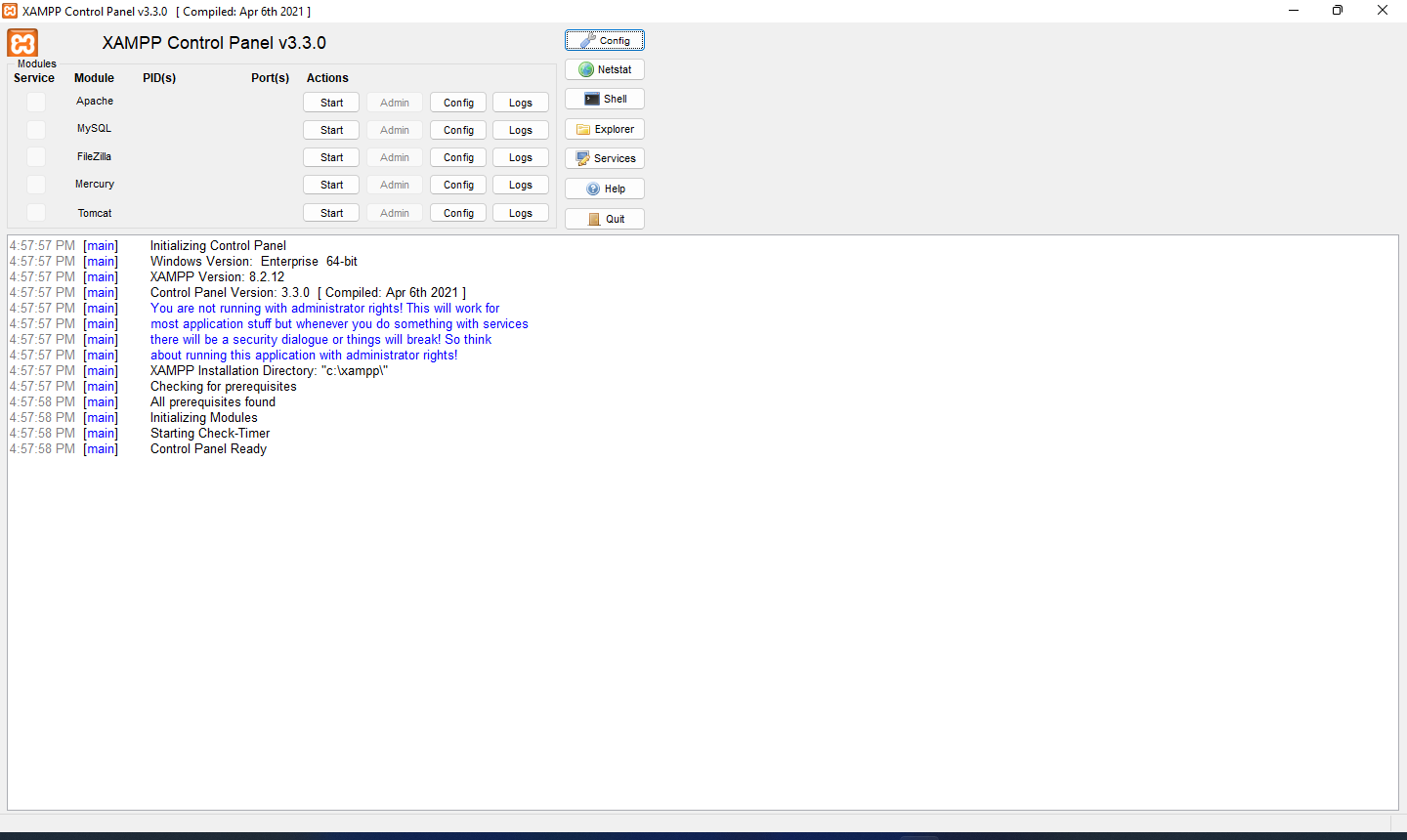
XAMPP Control Panel showing Apache, MySQL, FileZilla, Mercury, and Tomcat service controls
XAMPP

Simple classic PHP/MySQL setup

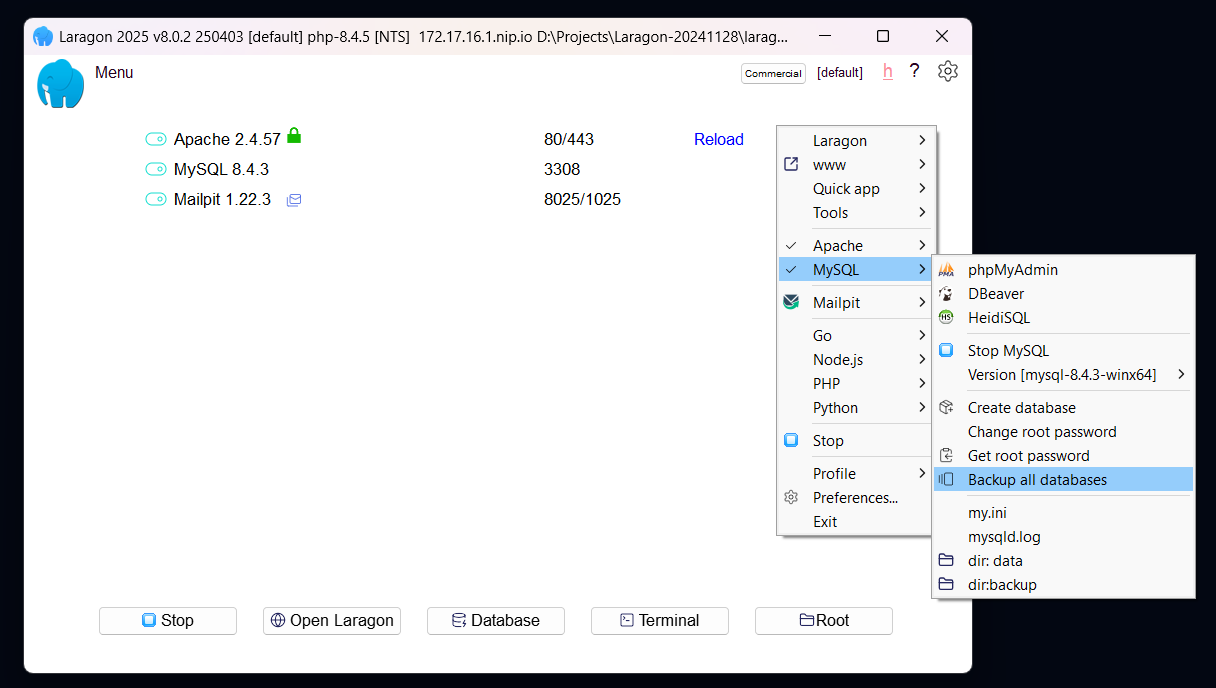
Laragon main window showing Apache, MySQL, and Mailpit services with a quick-access menu
Laragon

Lightweight local development workflow

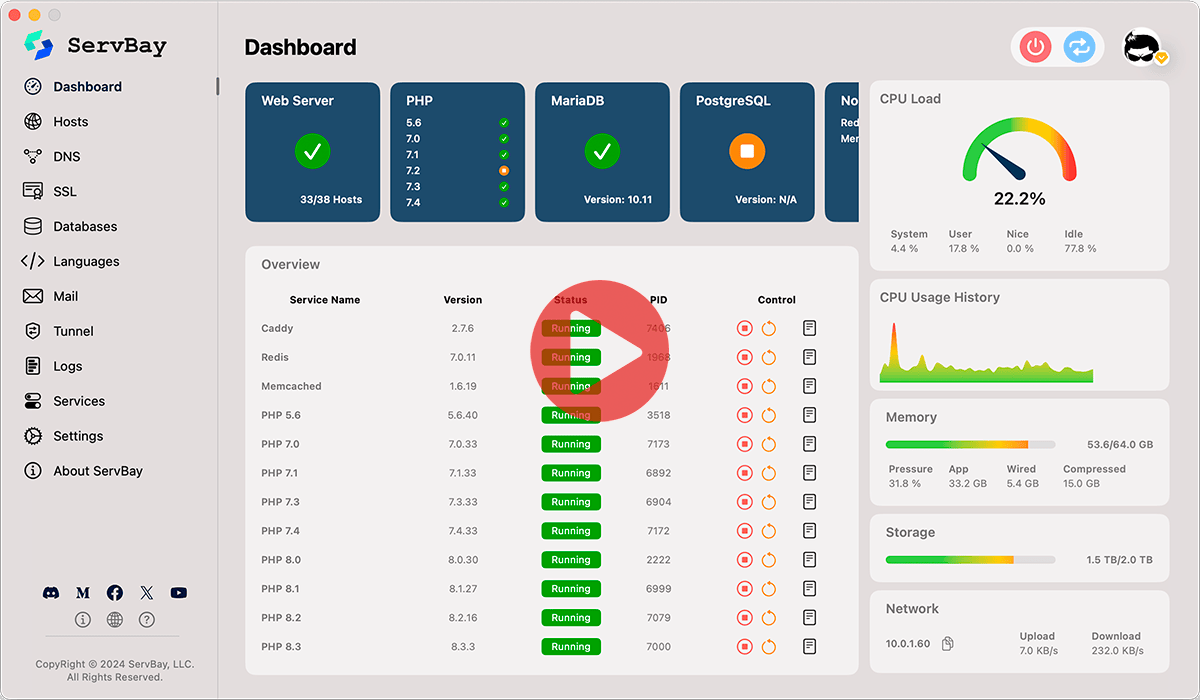
ServBay dashboard showing web server, PHP versions, MariaDB, PostgreSQL, and system resource usage
ServBay

Broad multi-language local development platform

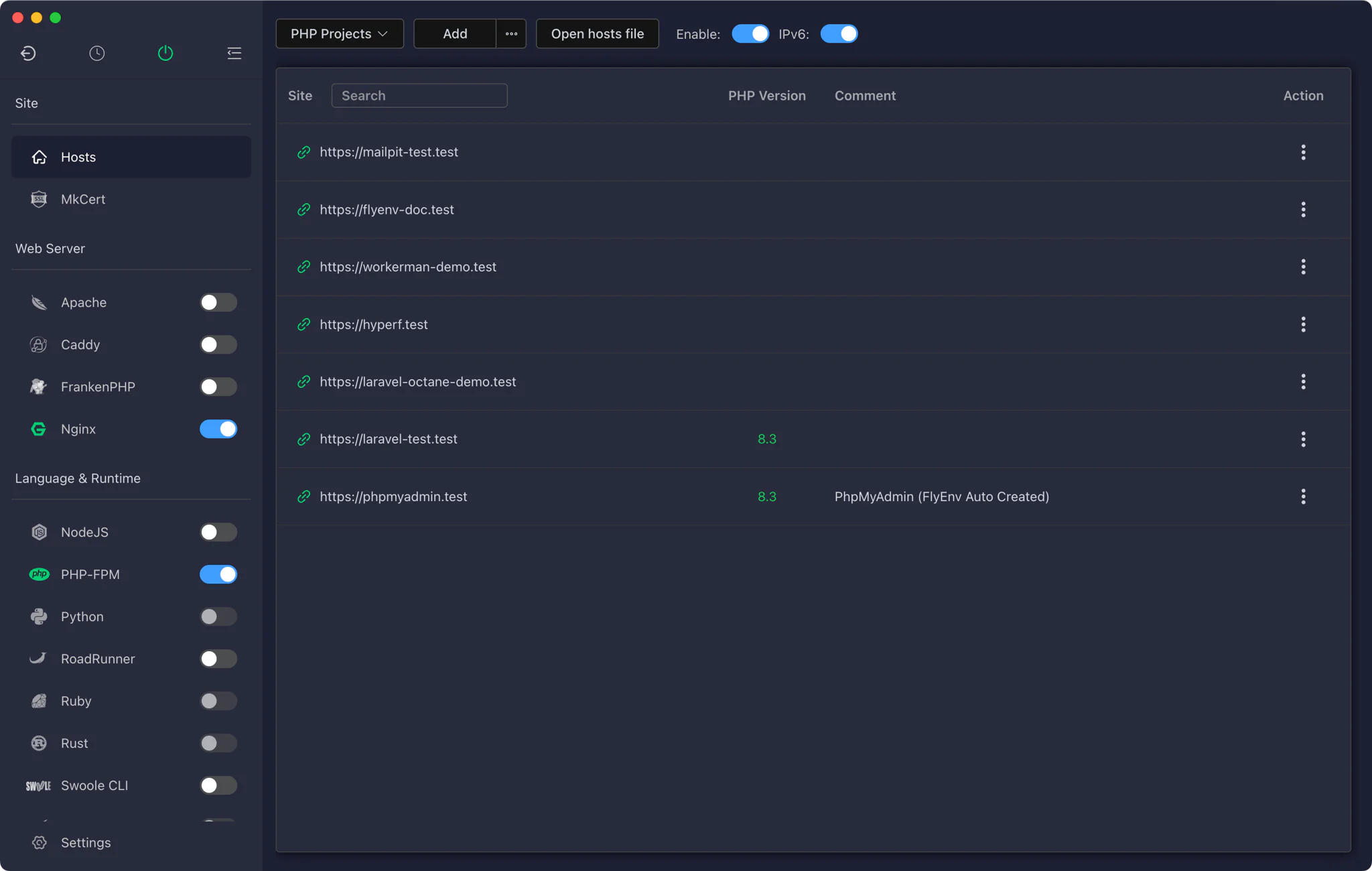
FlyEnv local sites panel showing HTTPS domains, PHP versions, and web server toggles
FlyEnv

Broad native multi-language local development without Docker

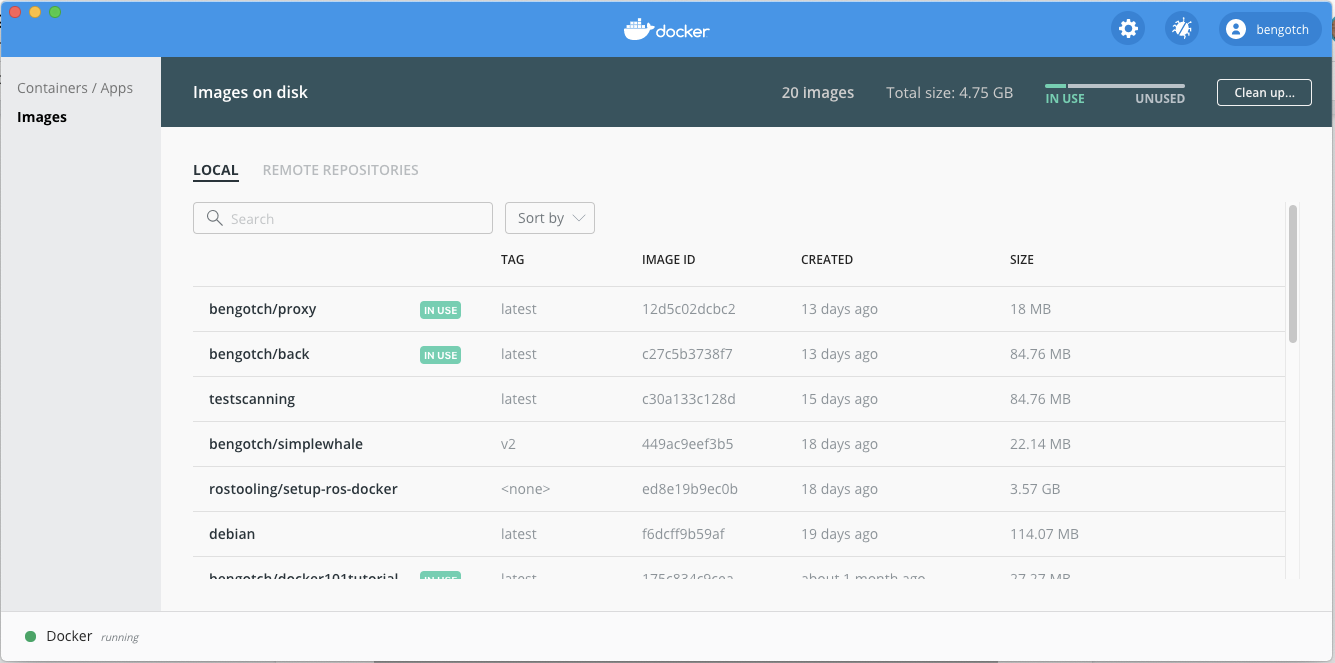
Docker Desktop dashboard showing local Docker images on disk
Docker Desktop

Containerized development and production-like environments

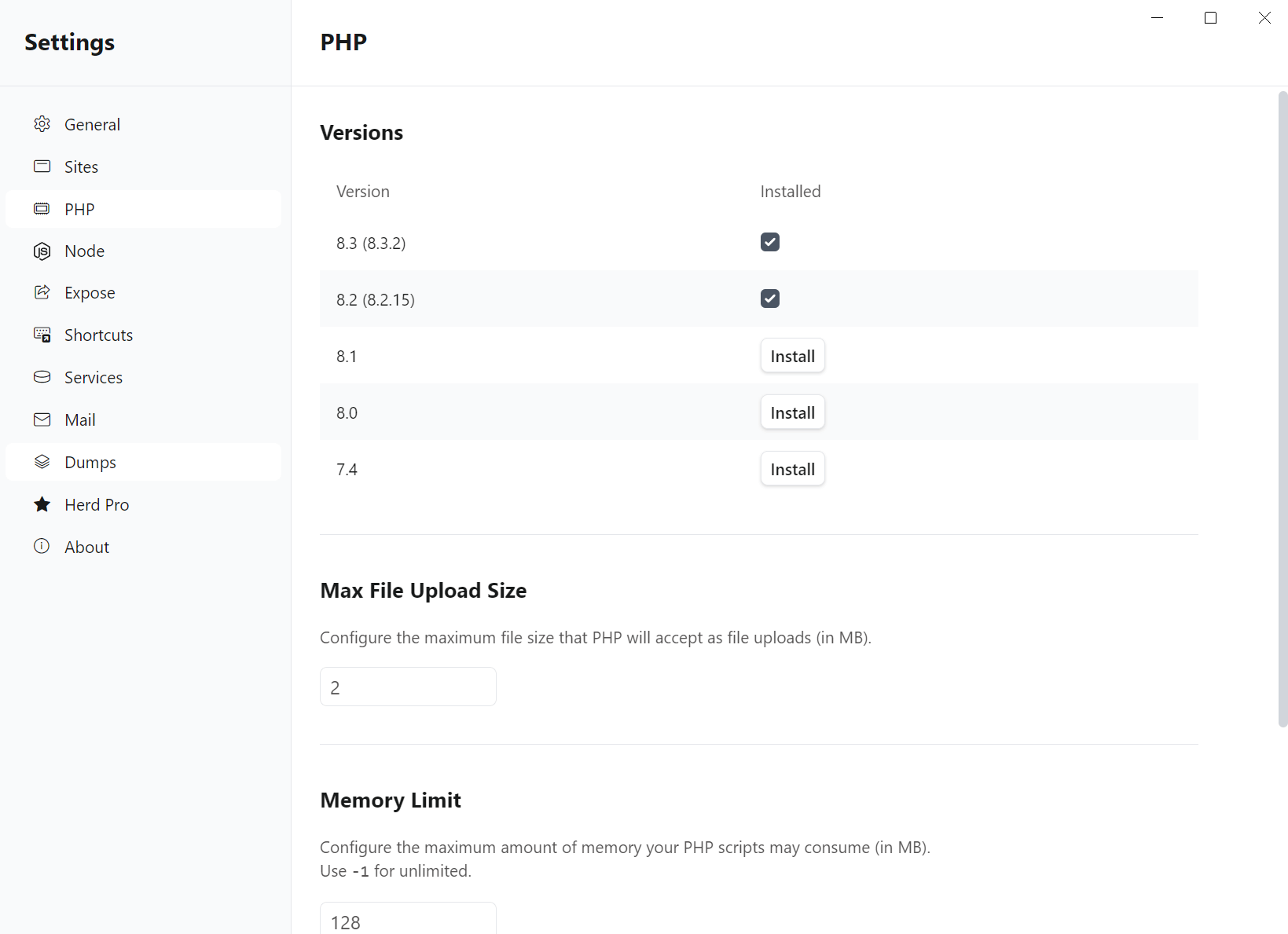
Laravel Herd settings panel showing installed and available PHP versions on Windows
Laravel Herd

Laravel-first PHP development

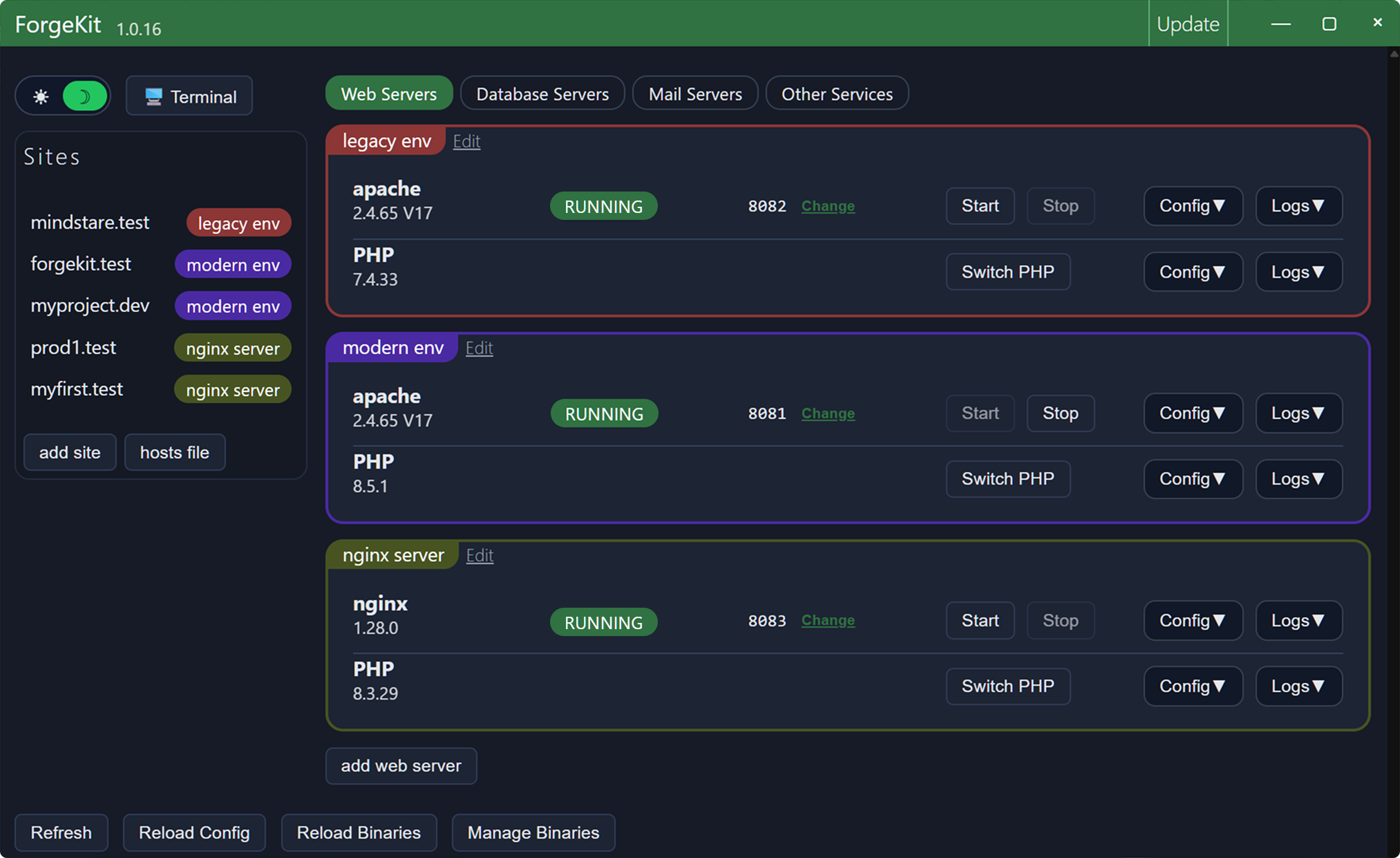
ForgeKit dashboard showing local PHP sites, servers, and development tools
ForgeKit

Windows-native PHP development with multiple projects and PHP versions

Screenshots are sourced from each project's official website or documentation and belong to their respective owners.

Per-tool breakdown

Deeper than the table, one card per tool, each held to the same standard: real strengths, real limitations, and when it's the right call.

XAMPP

The classic all-in-one Apache/PHP/MySQL bundle most tutorials still assume.

Strengths

  • Free and open source (GPL)
  • Extremely widely recognized, huge tutorial coverage
  • Simple to install for one project
  • Good enough for learning and small sites

Limitations

  • No first-class multiple PHP versions, only separate installs
  • No Node.js management
  • No Redis or Memcached bundled
  • Antivirus false positives on its binaries are a known, usually harmless, friction point

Choose it when: you're learning PHP or maintaining one simple site and don't need runtime isolation.

Laragon

A fast, well-loved native Windows workflow with a large real-world track record.

Strengths

  • Lightweight and fast to start
  • Portable, no installer required
  • Redis, Memcached, and Mailpit bundled in the Full download
  • Large history of real PHP, WordPress, and Laravel use

Limitations

  • Closed source
  • Free tier is for non-commercial use only; client work needs a paid licence
  • Confirmed startup license-reminder popup in the free edition
  • Node and PHP versions are both switched globally, not assigned per project

Choose it when: it already works for you and you have no recurring problem it's causing.

ServBay

A modern commercial platform that treats PHP as one runtime among many.

Strengths

  • Multiple PHP versions (5.3-8.6) with instant switching
  • Redis, Memcached, and Mailpit included, even on the free tier
  • Per-project Node.js via a config file
  • Polished, actively developed app

Limitations

  • Closed source
  • Free tier caps at 5 sites/DNS records
  • Broader and more commercial than most PHP-only developers need

Choose it when: PHP is only part of your local work and you want databases, caches, and other languages managed in the same app.

FlyEnv

A broad, genuinely open-source native tool spanning several languages.

Strengths

  • BSD 3-Clause license, real open source
  • PHP, Node.js, and Python versions side by side per project
  • Redis, Memcached, and Mailpit bundled
  • Cross-platform, not Windows-only

Limitations

  • General-purpose scope, less specifically built around Windows PHP workflows
  • Smaller community than XAMPP, Laragon, or Docker
  • More concepts than some PHP-only developers need

Choose it when: open source specifically matters to you, or you want one native tool across several languages.

Docker + WSL

The environment's definition lives in Dockerfiles and Compose configuration, rather than solely in a desktop app's local state.

Strengths

  • Environment config lives in the repo, reproducible on any machine
  • Excellent service isolation
  • Closest match to Linux production
  • Effectively unlimited concurrent PHP/Node versions via images

Limitations

  • Requires the WSL2 backend on Windows Home
  • Services like Redis or Mailpit are declared and pulled individually as containers, flexible and reproducible, but more initial configuration than a bundled service
  • Dockerfiles, docker-compose.yml, volumes, and networking add real setup
  • Closed-source Desktop app (the underlying Engine is open source)

Choose it when: your team already uses Docker Compose, or production parity matters more than local simplicity.

Laravel Herd

The most polished workflow available if your work is Laravel-first.

Strengths

  • Very refined native app, per-site PHP versions (7.4-8.5)
  • Per-site isolated Node via herd isolate-node
  • First-party Forge and Reverb integration
  • Free tier covers PHP, nginx, DNS, and Node

Limitations

  • Closed source; EULA bars redistribution and modification
  • Memcached isn't offered at all
  • Redis and its mail catcher are gated behind Herd Pro ($99/yr)
  • Nginx-only, no Apache option

Choose it when: you build almost exclusively in Laravel and want the most refined framework-specific experience.

Other tools worth knowing

This guide focuses on the tools Windows PHP developers are most likely to compare directly. A few other tools are worth knowing about, but they fit slightly different categories.

LocalWP is a strong choice if your local work is almost entirely WordPress. It is not trying to be a general PHP stack manager; it is built around creating and managing local WordPress sites.

DDEV is a serious option if you want a friendlier Docker-based PHP workflow. It is especially common around CMS/framework projects where the team wants reproducible project environments, but it still belongs in the Docker/WSL category rather than the native Windows category.

WampServer is another classic Windows stack in the same broad family as XAMPP. It can still be useful for simple Apache/PHP/MySQL work, but it is less central if you are comparing modern multi-project workflows.

What ForgeKit does differently

Four specific things, described precisely enough that you can check whether they matter to you.

Two PHP versions genuinely running at once

Install PHP 8.4 and PHP 7.4 once each, then create two Apache instances, one per version. Both run at the same time as separate Windows processes, each with its own port, config, and logs. A site is routed to one of them. There is no global active PHP version to switch, so putting a legacy project on 7.4 cannot affect the project you have on 8.4.

Nothing is hidden from you

Every file ForgeKit generates opens from the UI: the site's vhosts.conf entry, the php.ini for that PHP version, a database's my.ini, a Redis instance's redis.conf, and separate access, error, and PHP error logs per site. It is standard Apache, Nginx, and MySQL configuration, not a private format.

Local domains and HTTPS without the certificate chore

Tick a box and myapp.test works over https://. ForgeKit runs a router on ports 80 and 443, creates a local certificate authority, adds it to the Windows trust store, and renews domain certificates before they expire. No port numbers in the URL, no manual cert generation.

It leaves your machine alone

No registry edits, no changes to your global PATH, and no account. The only thing it reports is an anonymous setup summary you can inspect or switch off. Everything lives in one folder, so it runs alongside an existing XAMPP or Laragon install, and uninstalling means deleting that folder. The one elevation prompt it asks for is to edit the Windows hosts file.

ForgeKit dashboard showing local PHP sites, servers, and development tools

The part a feature list misses

Per-project Node.js, resolved by the same command everywhere

A site's PHP version comes from the web-server instance it's routed to. Its Node.js version is assigned separately, directly on the site, so two projects on the very same Apache instance can still run different Node versions.

The fkit command resolves php, composer, node, npm, npx, and yarn against whichever project folder you're standing in, without ever touching your global PATH. Run it from two different site folders and you get two different answers:

ForgeKit terminal
C:\ForgeKit\sites\client-portal> fkit php -v
PHP 8.4.x

C:\ForgeKit\sites\client-portal> fkit node -v
v22.x

C:\ForgeKit\sites\legacy-shop> fkit php -v
PHP 7.4.x

C:\ForgeKit\sites\legacy-shop> fkit node -v
v18.x

Redis, Memcached, and Mailpit follow the same pattern as everything above: add an instance, pick a version, start it, then copy its host and port (or SMTP block) into your project's own config. Nothing is wired up behind your back.

Try it yourself

The interactive preview, right here

The same browser recreation of ForgeKit used on the homepage. Add a site, assign it a PHP or Node version, and open a simulated project terminal.

Swipe to explore the app preview →

Open the full browser demo

Where ForgeKit is weaker

Said as plainly as the case above:

  • It's young, with a much smaller compatibility history than XAMPP, Laragon, or Docker.
  • It has a small community: fewer tutorials, integrations, and other users to ask when something breaks.
  • It only runs on Windows, and it's closed source.
  • There's no docker-compose.yml-style environment file committed with the project, so another machine can't recreate it exactly.
  • Its language and database support is narrower than ServBay or FlyEnv.
  • Your team already requires Docker for every project, or needs Linux parity more than Windows-native convenience.

ForgeKit is younger and more focused. That is the tradeoff.

Frequently asked questions

What is the best local PHP development environment for Windows?

There is no single best one, they're built around different environment models. XAMPP is a simple global bundled stack. Laragon and Laravel Herd are polished native desktop apps. ServBay and FlyEnv are broad native platforms spanning several languages. Docker/WSL defines the environment in a Dockerfile. ForgeKit runs separate PHP, web-server, and service instances side by side, with each site routed to the ones it needs, which is the better fit if you need several Windows PHP projects with different version needs at the same time.

Do I need Docker or WSL for PHP development on Windows?

No. Docker and WSL are useful for many teams, but they are not required for local PHP development. Tools like XAMPP, Laragon, ServBay, Laravel Herd, and ForgeKit can run PHP locally without requiring a full Docker/WSL workflow.

Can I run multiple PHP versions on Windows?

Yes. Some tools support this directly, while others require more manual setup. ForgeKit is built specifically to let multiple PHP projects use different PHP versions side by side, running at the same time, without changing a global PHP installation.

Should I replace Laragon if it already works?

Probably not. If your current setup is stable and isn't causing a real problem, changing tools for its own sake isn't worth the disruption. Consider moving only if you hit a recurring issue it can't solve, such as needing two PHP versions running at the same time rather than switched between.

Is ForgeKit open source?

No. ForgeKit is closed source, but it's free to use with no paywalled features or accounts, and no telemetry required (anonymous usage stats are optional). The public GitHub repo is for issues, discussions, and community, not the application's source code.

Does ForgeKit cost anything?

No. There are no paywalled features, required accounts, or forced payments. Support is entirely optional, a one-time or monthly contribution if you want to help fund development, and it doesn't unlock anything you don't already have.

Try ForgeKit for Windows PHP development

If you want several native Windows PHP projects running side by side, each with its own PHP version, Node version, database, and cache, and you want to see exactly what gets configured, ForgeKit is built for that workflow.