Terminal Integration
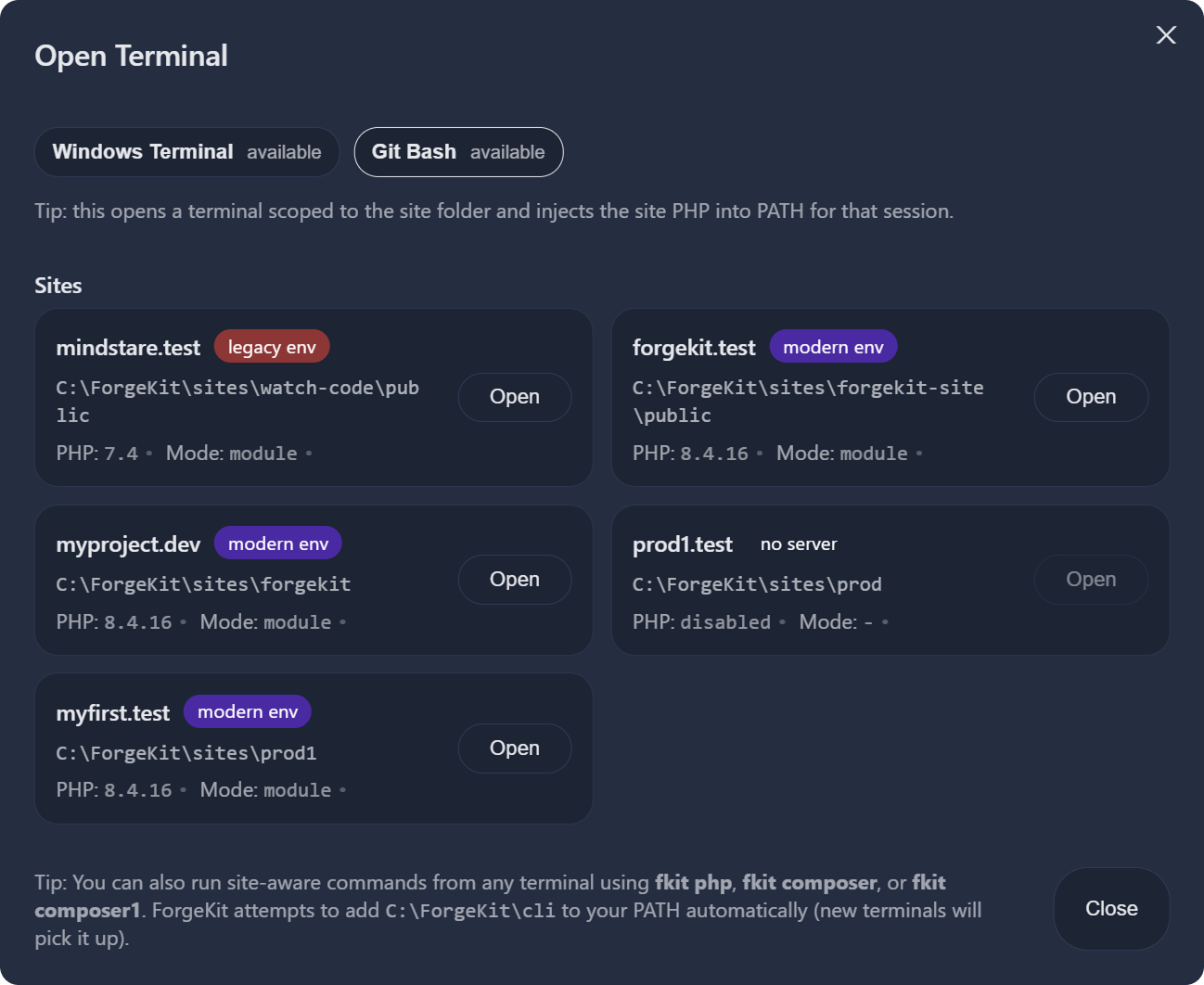
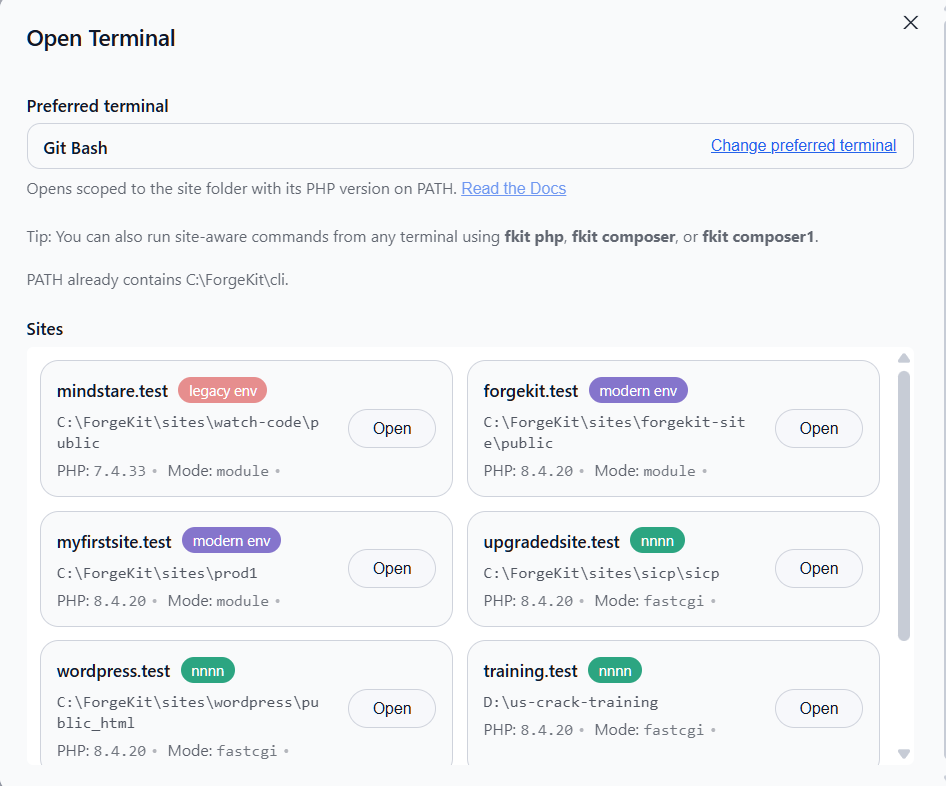
ForgeKit includes a built-in terminal integration for running commands inside your local development environment. Opened correctly, a terminal will use the PHP and Node versions tied to the current project. This avoids global config issues while also not overwriting your global config.
This ensures:
- The correct PHP version is used
- Composer runs against the correct runtime
- The correct Node version is used for npm/npx/yarn/pnpm
- No global PATH conflicts
How it works
There are 2 approaches:
- The first approach is a lot more powerful and works in any terminal. Click the Terminal button near Preferences to open the terminal modal which will automatically attempt to add the
/clifolder to your windows environment variables. Then whichever terminal window you open you will have access to thefkitcli command.
- Click the Terminal button and select which project you would like to open a terminal window for. ForgeKit opens your chosen terminal in the site's folder with
php(andnode, if the site has a Node version assigned) pointed at the versions that site needs. This is simple and pretty straight forward.
Method 1
fkit shim
$ fkit
ForgeKit CLI

Usage:
  fkit php <args...>            Run site-scoped PHP (resolved from current directory)
  fkit php -v
  fkit which php|node          Show which PHP/Node would run for current directory
  fkit composer <args...>      Run Composer using the site-scoped PHP
  fkit php composer <args...>  Alias of "fkit composer"

  fkit node <args...>           Run the site's assigned Node version
  fkit npm <args...>            Run npm (bundled with the site's Node version)
  fkit npx <args...>            Run npx
  fkit corepack <args...>       Run Corepack
  fkit yarn <args...>           Run Yarn (via Corepack, enabled on first use)
  fkit pnpm <args...>           Run pnpm (via Corepack, enabled on first use)

Notes:
  - Run these commands from inside a ForgeKit site folder.
  - For Composer, place composer.phar next to fkit.exe:
      C:\ForgeKit\cli\composer.phar
  - Node/npm/npx/corepack/yarn/pnpm are resolved per-site (assign a Node
    version to the site in the ForgeKit UI first). These never touch any
    Node/npm you already have installed globally.
The fkit command will automatically detect which site you're working in based on the current working directory. Running fkit php runs the PHP version set for that project, and fkit node/fkit npm run the Node version assigned to that site.
Example use cases:
fkit php artisan optimizefkit php composer installfkit npm installfkit npm run devfkit npx vite buildfkit yarn install
Method 2
Choosing which terminal opens
ForgeKit doesn't force one specific terminal app. Open and look for Preferred Apps, where you can pick your terminal from whatever ForgeKit finds installed:
- Windows Terminal
- Windows PowerShell
- PowerShell 7
- Command Prompt
- Git Bash
- WezTerm
- Alacritty
- ConEmu / Cmder
You can also browse to any other .exe if your terminal isn't in that list.
Windows Terminal, PowerShell, Command Prompt, and Git Bash get a full scoped session: PHP and Node are added to the front of PATH, the window starts in the site's folder, and a short banner reminds you which versions are active.
WezTerm, Alacritty, and ConEmu instead open with whatever shell or profile you already have configured for them there. ForgeKit still adds the site's PHP and Node to PATH for that session, but it won't override your own setup, so there's no banner or automatic cd for those three, since ForgeKit can't assume what's about to run.
Preferred Apps also covers your code editor (for "Open in Editor" style actions) and your logs/config file editor, with the same kind of detection: common editors and version managers like VS Code, Cursor, PhpStorm, WebStorm, Sublime Text, Notepad++, and a few others are picked up automatically if installed.
Why use the ForgeKit terminal approach?
On Windows, it’s common to have:
- Multiple PHP and Node versions
- Conflicting PATH entries
- Global Composer tied to the wrong PHP version
- Global npm tied to the wrong Node version
- Global PHP/Node version that is hard to overwrite
The ForgeKit terminal avoids this by:
- Binding to the active Instance/site or to the active project folder
- Using its configured PHP and Node binaries
- Providing a predictable local environment that does not get conflicted with global one
When your shell already has its own PHP or Node setup
If you already use a tool that manages PHP or Node versions itself, such as Laravel Herd, phpenv, or nvm, that tool may define its own php or node command inside your shell profile. A shell alias or function like that always wins over anything ForgeKit adds to that terminal window's PATH, since your shell checks for those before it ever searches PATH.
This mostly comes up in WezTerm, Alacritty, and ConEmu, since those open your own configured shell rather than a session ForgeKit fully controls. Windows Terminal, PowerShell, Command Prompt, and Git Bash aren't affected.
If you run into this, the reliable fallback is the fkit command described above. It resolves the right PHP/Node for the current folder every time, regardless of what your shell's profile does with php or node directly.
Notes
- The terminal window opens in the site's root folder.
- If the site has no Node version assigned, only
phpis scoped.node/npmfall back to whatever (if anything) is available globally. fkitnever modifies your global PHP/Node installation or PATH permanently. It only affects the one command it's running.