Binaries and Runtimes
ForgeKit runs real Windows binaries: no containers, no virtualization.
A binary is a versioned runtime that ForgeKit can install, detect, and reuse.
Examples
- PHP 8.3.x
- Node.js 22.x
- Apache 2.4.x
- Nginx
- MySQL / MariaDB
All binaries can be installed, removed, or managed via:
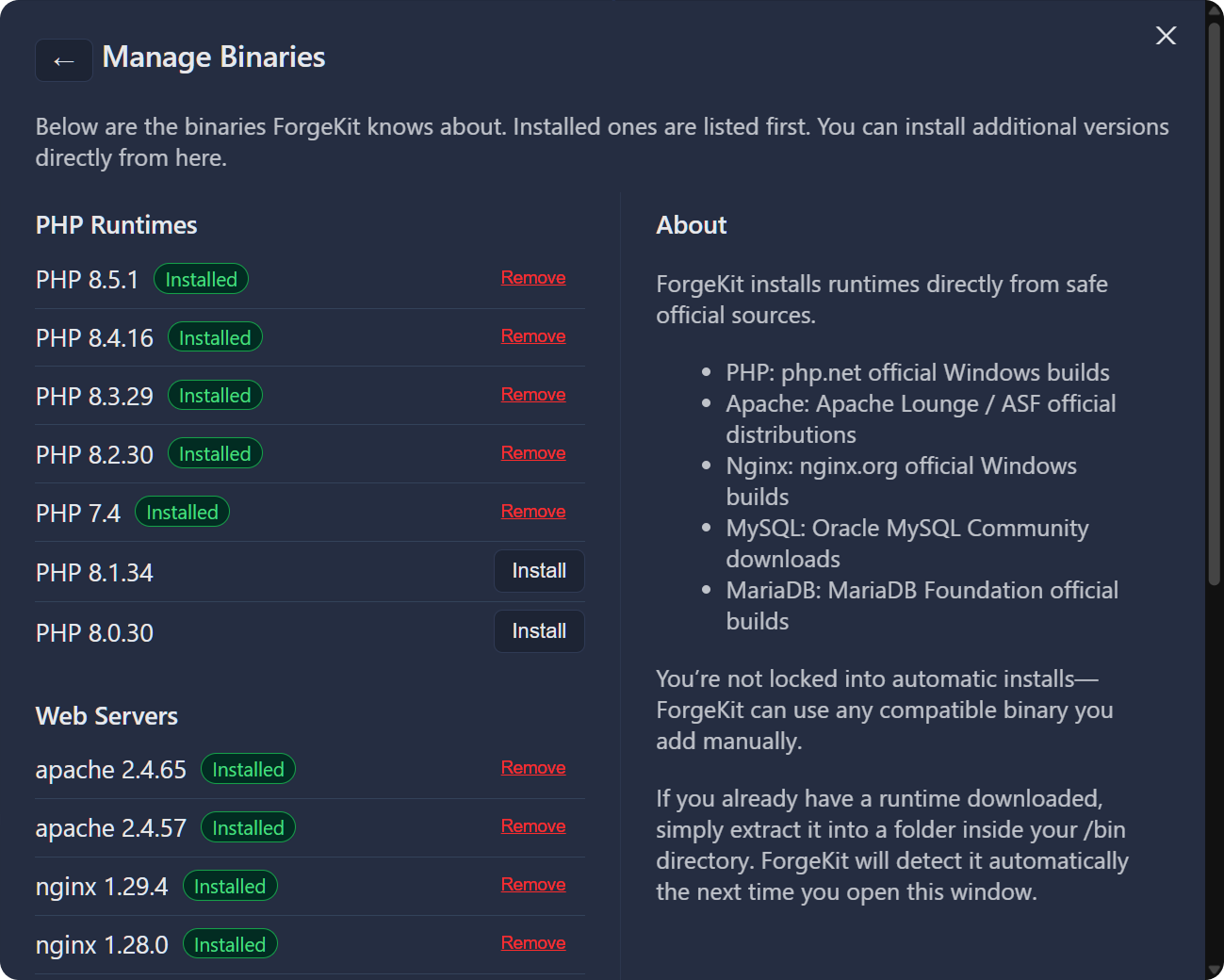
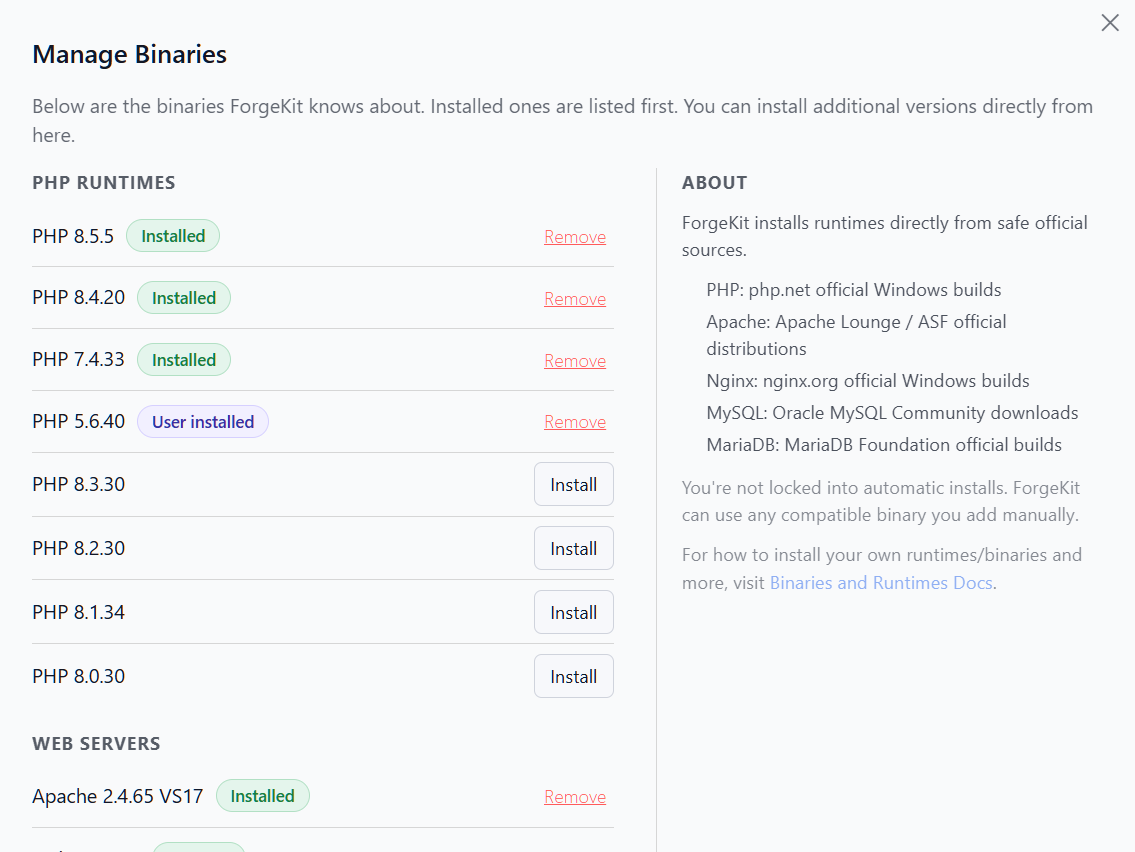
Why ForgeKit uses “Binaries”
Most local dev tools blur versions together.
ForgeKit keeps them explicit.
That means:
- Multiple PHP versions can run side-by-side
- Each instance chooses its own runtime
- Upgrading one project won’t break another
How binaries are used
Binaries are idle by default.
They only run when used by an instance:
- A Web Instance uses a web server + PHP binary
- A Database Instance uses a database binary
- A Site can be assigned a Node.js binary directly (independent of the web server/PHP it runs on)
Where binaries live
All binaries are stored inside:
/bin
Each binary lives in its own folder.
⚠️ Important: One binary per folder
ForgeKit assumes:
One binary = one folder
Example:
/bin/apache-2.4.66
/bin/apache-2.4.67
/bin/php-8.3.7
Do NOT:
- Put multiple versions inside the same folder
- Change the internal structure of a binary folder after it’s been registered
This can cause:
- Duplicate IDs
- Config conflicts
- Instances using the wrong binary
Adding your own binaries
You are not limited to ForgeKit’s built-in downloads.
You can add your own binaries manually.
First way. Just download and place it in /bin
Steps:
- Download your runtime (e.g. Apache, PHP)
- Extract it into the
/binfolder - Ensure it has a clear, unique folder name
- Open ForgeKit and click Reload Binaries
ForgeKit will attempt to detect and register it automatically. You should be able to see it in the Binary management window
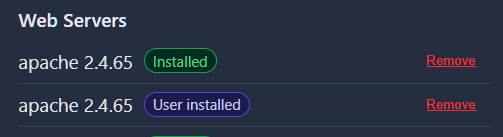

Binaries added this way show up with a User installed badge. ForgeKit knows it's there, but didn't put it there itself.
Second way. Your own catalog: custom-binaries.json
Manually dropping binaries into /bin works, but if you regularly reinstall or juggle several custom builds, maintaining a small catalog file is easier than copying folders around by hand.
Create a file named:
custom-binaries.json
in the same folder as binaries.yaml (ForgeKit's root config folder). It's a JSON array, same shape as ForgeKit's own catalog:
[
  {
    "id": "my-php-8.4-custom",
    "kind": "php",
    "engine": "php",
    "version": "8.4.0",
    "sourceUrl": "https://example.com/my-custom-php-build.zip",
    "checksum": "b94d27b9934d3e08a52e52d7da7dabfac484efe37a5380ee9088f7ace2efcde9"
  }
]
id,kind,engine,version,sourceUrlare required.checksum(sha256) is optional. If you provide one, ForgeKit verifies the downloaded file against it before installing, and fails the install on a mismatch.-customending for the id is preferred so as to work nicely with existing approaches
Open Manage Binaries and you'll see a separate Custom Binaries section, with a persistent warning that these come from a source you configured yourself:
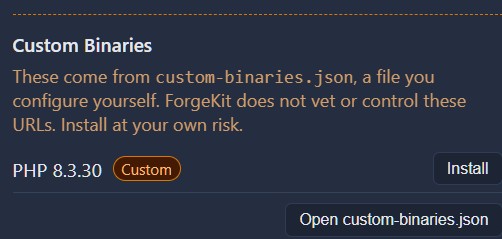
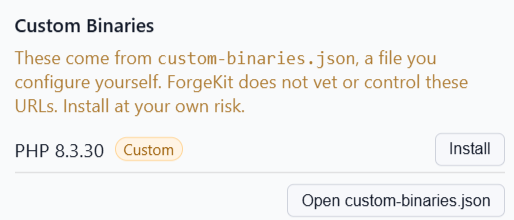
If the file doesn't exist yet, there's a Create json file button next to the custom-binaries.json option that creates an empty [] file and opens it in your default editor. Once it exists, the same button becomes Open json file.
⚠️ Use at your own risk
ForgeKit does not vet, scan, or control the URLs in custom-binaries.json (or a catalog URL, below). Unlike the official catalog (php.net, Apache Lounge, nginx.org, Oracle MySQL, MariaDB Foundation), these are whatever you point ForgeKit at. Only add sources you trust.
Third way. Point at an external catalog URL instead
If you maintain a catalog on a server somewhere - for a team, or across multiple machines - you don't have to keep a local custom-binaries.json in sync everywhere. ForgeKit can fetch that catalog live from a URL instead.
In Manage Binaries, under Custom Binaries, there's a small switcher with two options:
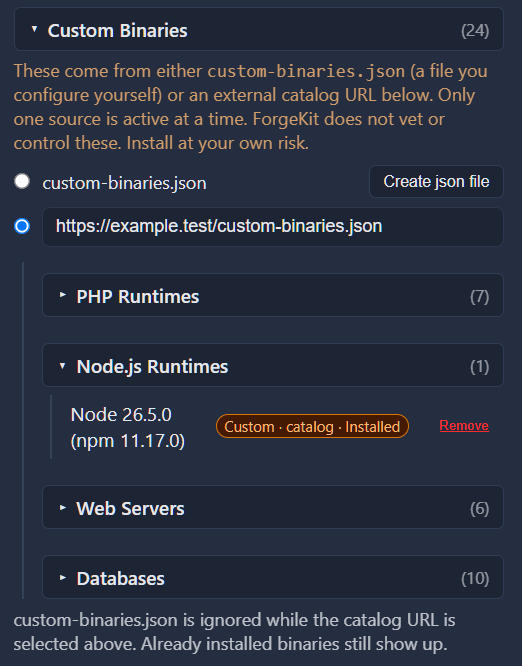
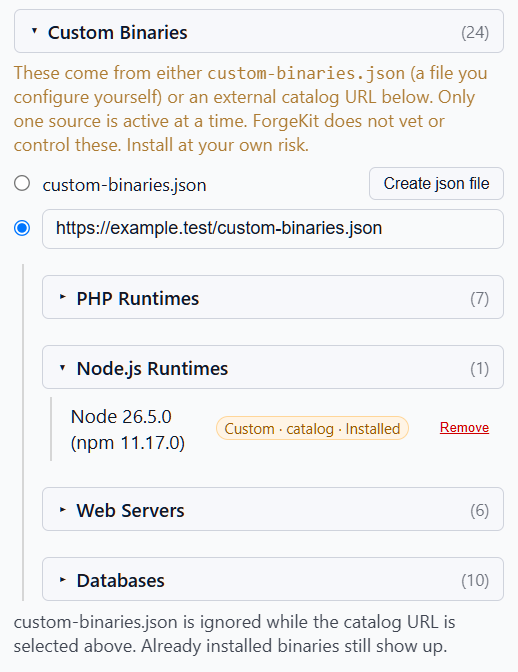
- custom-binaries.json - the local file described above. This is what's active by default, and can't be turned off directly - you switch away from it by selecting the other option instead.
- Catalog URL - a text field where you can paste a URL that returns the same JSON array shape as
custom-binaries.json. Once you've typed at least a few characters, the radio button next to it becomes selectable.
Only one source is ever active at a time - selecting one doesn't erase the other. Switch back to custom-binaries.json later and your catalog URL is still remembered, ready to switch back to without retyping it.
When you select the catalog URL option, ForgeKit fetches it immediately to validate it:
- If the fetch fails (unreachable, bad status, invalid JSON), you'll see an error and the switch doesn't take effect -
custom-binaries.jsonstays active. - If it succeeds, the binaries it lists appear the same way local custom binaries do.
Avoid IDs that collide with the official catalog
Every entry in your catalog needs an id that isn't already used by ForgeKit's own official catalog (for example, don't reuse php-8.3.30-official). If an entry's id collides with an official one, ForgeKit skips it and shows a warning telling you which IDs were skipped, rather than installing the wrong thing. Give your own catalog entries their own unique IDs to avoid this entirely.
Telling custom binaries apart
Once installed, a custom binary shows a badge everywhere it appears (Manage Binaries, Add Instance, Switch PHP Version, the Node.js selector) - Custom · local if it came from custom-binaries.json, or Custom · catalog if it came from a catalog URL. Hovering over the badge (or the binary's name) shows its install folder and exactly which source it came from. This is distinct from both Installed (ForgeKit's official catalog) and User installed (a binary you dropped into /bin with no catalog entry at all).
See Binary Types for a full rundown of how Official, User installed, Custom local, and Custom catalog binaries differ and when to use each.
Notes
- Folder name is used to generate the binary ID
- If two folders resolve to the same ID, conflicts may occur
- Keeping clean and consistent folder naming helps avoid issues
Continue to → Instances