Instances
An Instance is a configured server that ForgeKit can start/stop.
Think of it as a local process because in Windows, each instance is an actual process or group of processes visible in task manager.
- Web server type: Apache or Nginx
- PHP version: 8.3 / 8.2 / 7.4 / etc.
- Ports: HTTP/HTTPS (depending on setup)
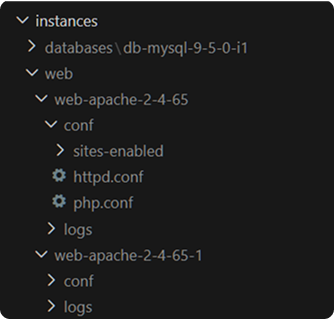
- Own config folder + logs in
/instances
Why Instances exist
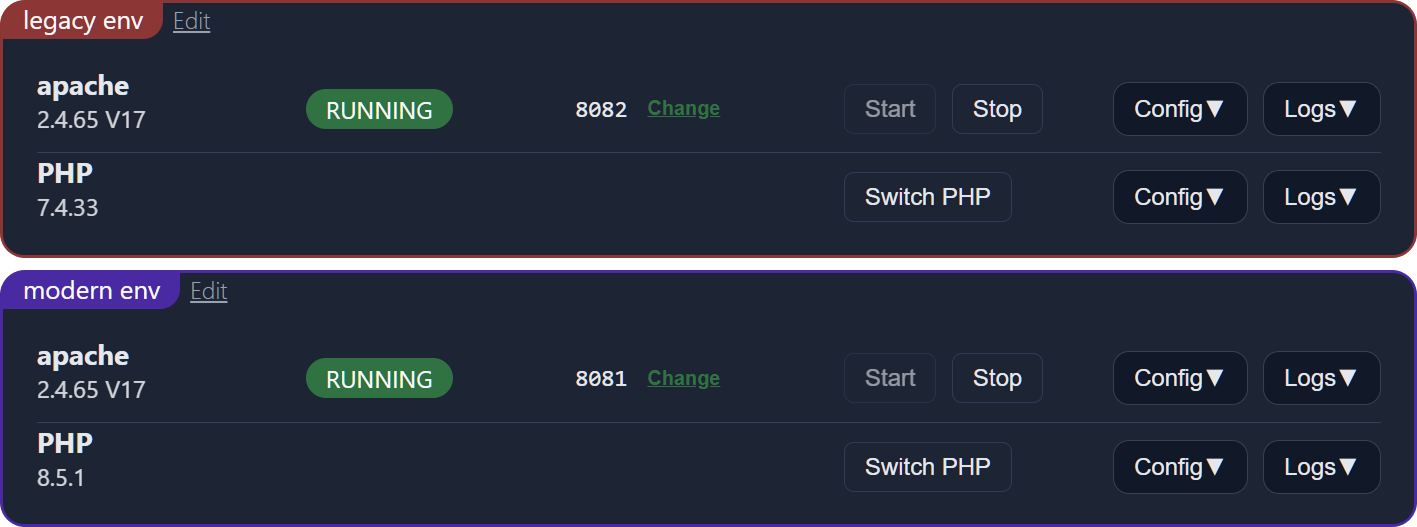
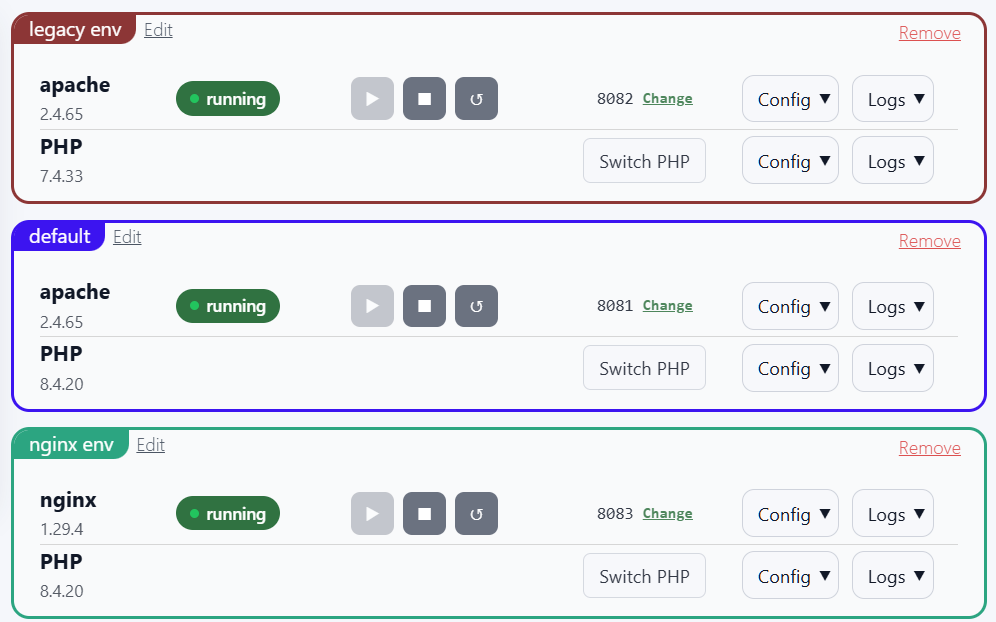
Instances let you run multiple environments at the same time.
Example:
Legacyinstance (PHP 7.4 + Apache)Moderninstance (PHP 8.3 + Nginx)
Then you route different sites to each.
What an Instance controls
An Instance typically owns:
- server config (main conf, vhosts)
- PHP config (php.ini and extensions)
- logs (access/error)
- runtime state (running/stopped, bound ports)
Note: php.ini is tied to the PHP binary/version, not to an individual web-server instance. If two instances use the same PHP binary, they share that PHP configuration.
Why do I have multiple folders for the same Apache version?
This is normal.
ForgeKit may create multiple instance folders from the same installed Apache or Nginx binary.
Example:
/ForgeKit/instances/web/web-apache-2-4-65/
/ForgeKit/instances/web/web-apache-2-4-65-1/
These are not duplicate installs of Apache. They are separate runtime instances using the same Apache binary.
Each instance can have different:
- ports
- PHP version
- vhost file
- logs
- running process
This is what allows two sites to both use Apache 2.4.65 while running different PHP versions.
Why does one vhosts.conf only show one site?
Each web-server instance has its own vhosts.conf.
If Site A is routed to one Apache instance and Site B is routed to another Apache instance, they will appear in different vhosts.conf files.
This is expected. See Site missing from vhosts.conf? if this is what's confusing you.
Same Apache version does not mean same Apache instance.
Common workflows
Create one instance per PHP version
This keeps things predictable:
- “Sites on Instance A run PHP 7.4”
- “Sites on Instance B run PHP 8.3”
Keep “test” and “stable” instances separate
Useful if you are experimenting with new PHP versions or configs.
Common issues
-
Port already in use or changes not applying: another service is probably using port 80. If you're coming from another tool which had web servers, make sure to turn that one off. Both Port 80 and ports 8080 or other ports that ForgeKit happens to use need to be available.
-
Config changes not applied: instance may need to be turned off and back on again.
Continue to → Vhosts and Routing
Or see → Where are logs stored? · Site missing from vhosts.conf?