Enabling Xdebug in ForgeKit
This guide walks you through setting up Xdebug for debugging PHP applications in ForgeKit using VS Code.
✅ Overview
To enable Xdebug, you need to:
- Download the correct Xdebug DLL for your PHP version
- Place it in the PHP
extfolder - Configure
php.ini - Restart your server
- Connect via your IDE (e.g. VS Code)
1. Check Your PHP Version
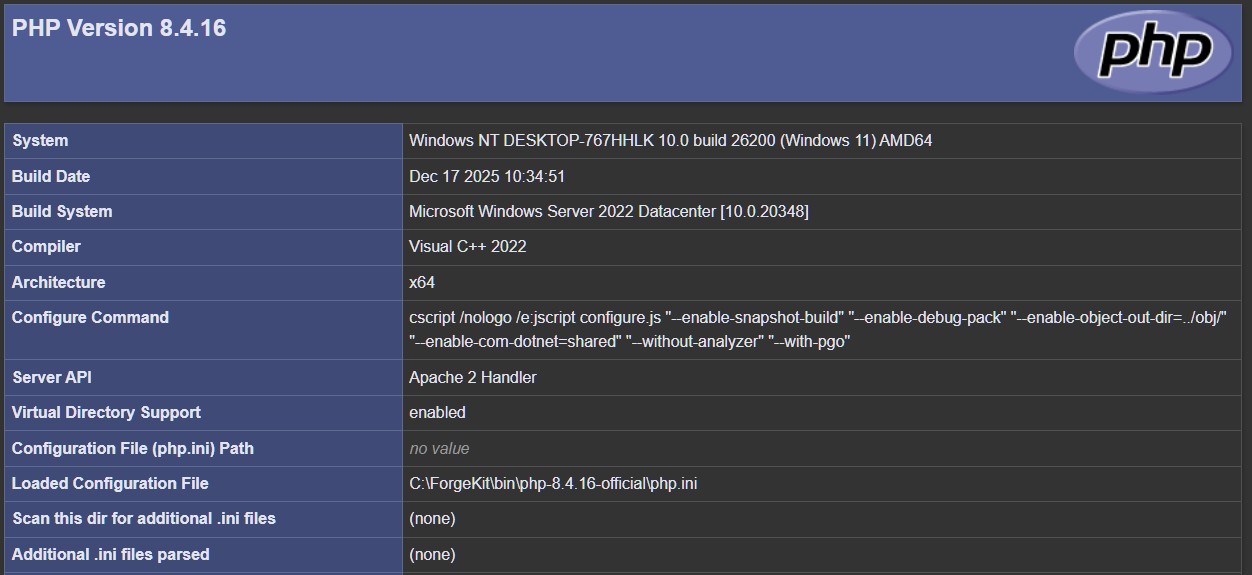
Open a phpinfo() page and note:
- PHP Version (e.g. 8.4.16)
- Architecture (x64)
- Thread Safety (enabled = TS)
- Compiler (VS17)
If you've not changed those, It's very likely you have x64, thread safe, VS17 version.
2. Download Xdebug
Go to: https://xdebug.org/download
Download the version that matches your PHP:
- PHP 8.4
- Thread Safe (TS)
- VS17
- x64
Example file: php_xdebug-3.5.1-8.4-ts-vs17-x86_64.dll

3. Place the DLL
Copy the downloaded .dll file into your PHP ext directory:
Ex: C:\ForgeKit\bin\php-8.4.16\ext\php_xdebug-3.5.1-8.4-ts-vs17-x86_64.dll
4. Configure php.ini
Open the php.ini for your PHP version. It can be opened from the PHP config dropdown in ForgeKit, in your Web server that's using it.
Add this at the bottom:
[xdebug]
zend_extension="C:\ForgeKit\bin\php-8.4.16\ext\php_xdebug-3.5.1-8.4-ts-vs17-x86_64.dll"

xdebug.mode=debug,develop
xdebug.start_with_request=yes
xdebug.client_port=9003
xdebug.discover_client_host=1
Optional:
xdebug.log="C:\ForgeKit\logs\xdebug.log"
xdebug.log_level=7
5. Restart Your Server
Stop and Start again your web server (Apache/Nginx) from ForgeKit, that is using this PHP version.
6. Verify Installation
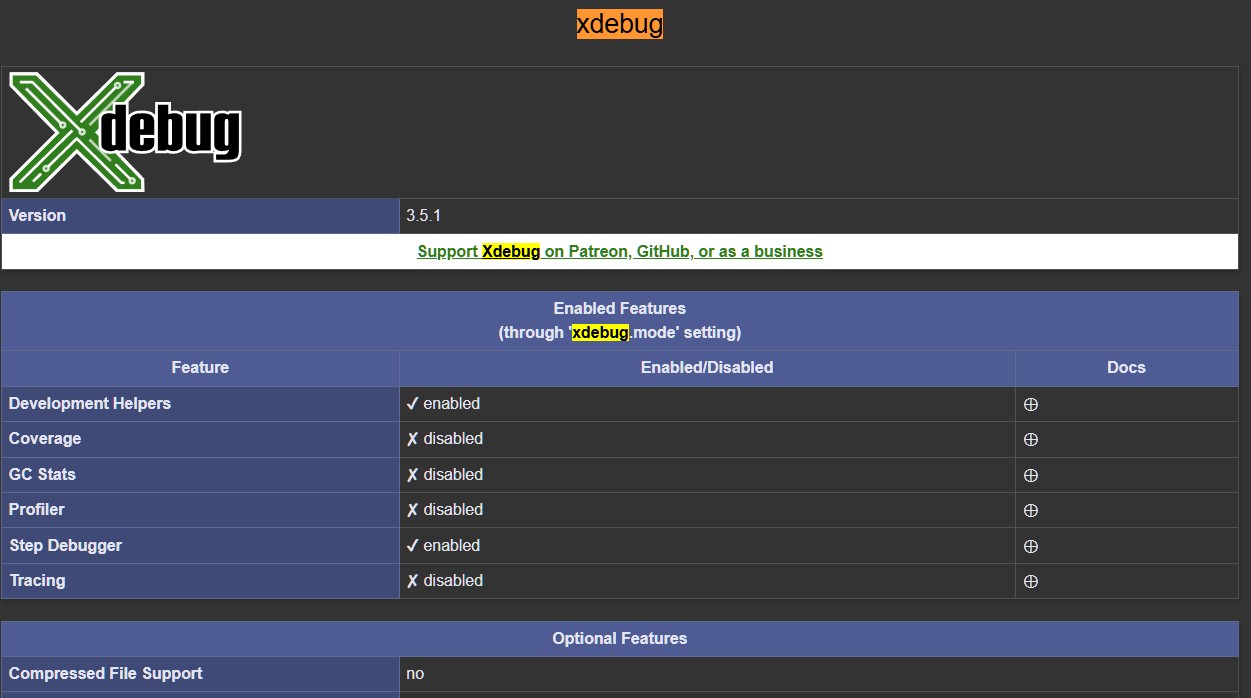
Reload your phpinfo() page.
You should see a new Xdebug section.
7. VS Code Setup
- Install the PHP Debug extension

-
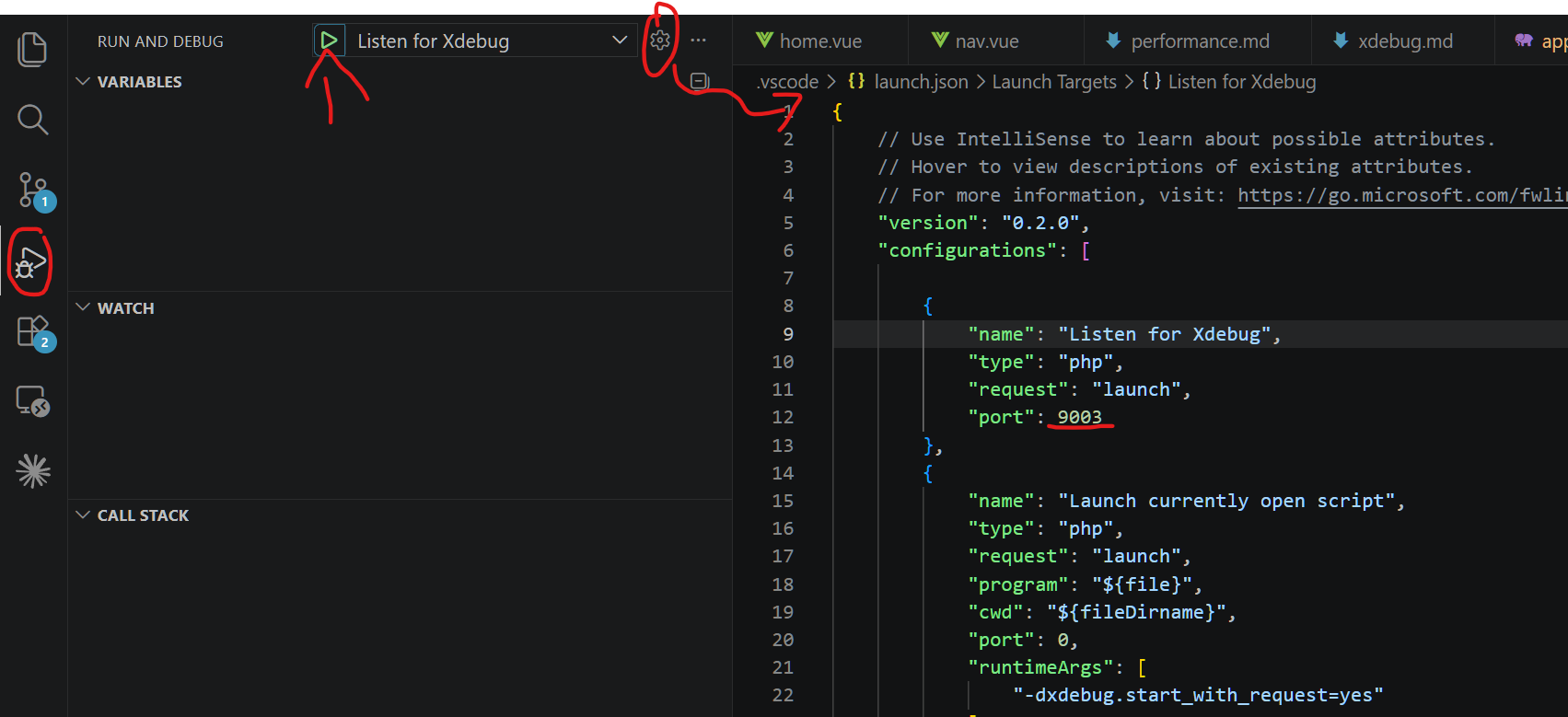
Click on the Run and Debug icon on the left of VsCode
-
Click the Gear icon at the top to create your launch.json(Listen for Xdebug should be selected). At this point it should all be decently well setup. Some things might need changing like the port. The port in the launch.json file needs to be the same as the one you added in you php.ini
-
Click the Play icon next to Listen for Xdebug, add breakpoints in code and happy debugging.
⚡ Recommended
Change:
xdebug.start_with_request=yes
to:
xdebug.start_with_request=trigger
🛠 Troubleshooting
Xdebug not showing:
- Wrong DLL path
- Wrong version (TS vs NTS)
- Server not restarted
Breakpoints not hitting:
- VS Code not listening
- Port mismatch (9003)
💡 Tip
Each PHP version in ForgeKit has its own php.ini.