Redis and Memcached
ForgeKit supports Redis and Memcached as local cache servers. Add one or more instances of either, start and stop them independently, and connect your projects to them the same way you would connect to a real cache server.
It allows you to:
- Run Redis and Memcached instances side by side, each isolated from the others
- Pick a specific Redis or Memcached version per instance
- Edit the underlying
redis.confdirectly for a Redis instance - Change a Redis instance's port without editing any files by hand
Creating a cache server
- Open the Redis / Cache Servers tab.
- Click Start your first cache server (or Add another cache server if you already have one).
- Pick an installed Redis or Memcached version, give the instance a name and color, and submit.
- Start it from its card once it has been created.
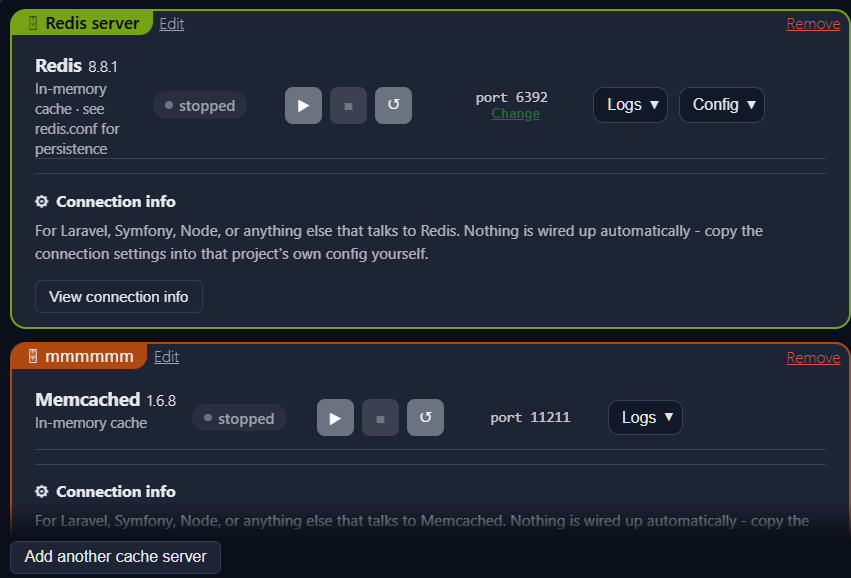
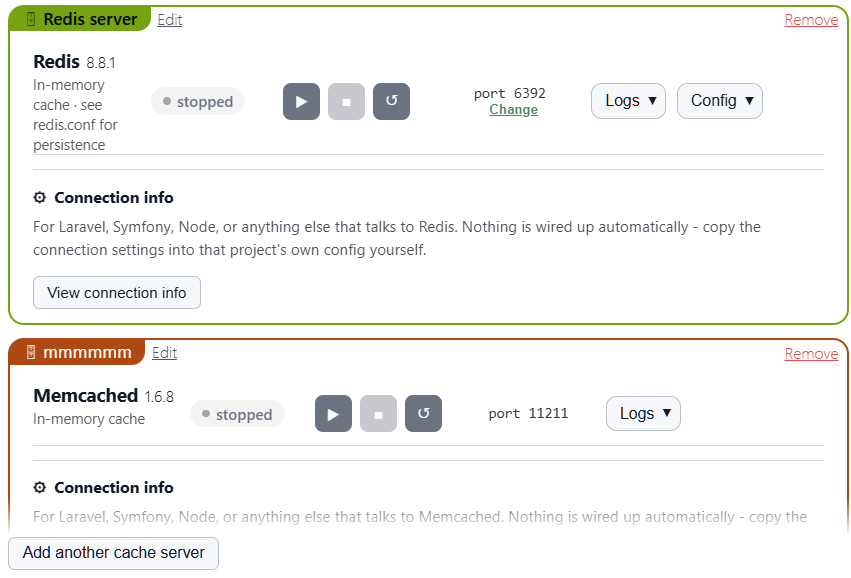
Each instance shows its engine and version, a status pill, its port, and a Logs menu. Redis instances also get a Config menu.
Connecting a project
Nothing is wired up automatically. Click View connection info on an instance's card and copy the block into that project's own configuration:
REDIS_HOST=127.0.0.1
REDIS_PASSWORD=null
REDIS_PORT=6379
MEMCACHED_HOST=127.0.0.1
MEMCACHED_PORT=11211
For anything else, point it at 127.0.0.1 and the instance's own port.
Editing redis.conf
A Redis instance gets a real redis.conf, written once when the instance is created. Open it from the Config menu on its card.
ForgeKit never overwrites this file again, so any changes you make (turning persistence back on with save directives, adjusting maxmemory, etc.) are yours to keep. Restart the instance from its card for a change to take effect.
Memcached has no config file of its own - it's configured entirely by command-line flags, so there's nothing to edit.
Changing a Redis port
Click Change next to a Redis instance's port. ForgeKit checks the new port isn't already in use by another instance, updates the port line in redis.conf in place (leaving the rest of the file untouched), and restarts the instance if it was running.
How it works
Redis and Memcached are both single, self-contained binaries with no other services or installers involved. Each instance is one running process with its own port, log file, and instance folder under ForgeKit's own instance directories.
An instance only runs while its card shows as running. Stopping it stops that process; anything trying to connect to it while stopped simply fails to connect, the same as against any other unreachable cache server.
Security note
Both engines run locally inside your ForgeKit environment, bound to 127.0.0.1 unless LAN access is turned on, in which case they become reachable from other devices on your network the same way web servers and databases do.
Neither engine ships with authentication enabled by default. Treat them as local development tools, not as anything you'd expose publicly.