Node.js
ForgeKit supports Node.js for frontend tooling and JavaScript-based dependencies.
Node version is assigned per site, not per web server. Two sites can share the same PHP version and web server but still use completely different Node versions.
npm, npx, and Corepack (Yarn/pnpm) are all bundled with the Node version you install and resolved automatically through the same binary you selected.
Why per-site instead of per-server?
PHP is tied to a web server (Apache/nginx bind one PHP process per server instance), so it makes sense for PHP to live at that level.
Node has no such constraint. npm install and npm run dev are just commands run in a project folder, not something bound to a running server process. It's common to want different Node versions on projects that otherwise share a PHP version and web server, so ForgeKit assigns Node independently, directly on the site.
How Node.js works in ForgeKit
Node runs using:
- The Node version assigned to the active site
- The environment provided by ForgeKit
This avoids:
- A global Node/npm install being silently overridden
- PATH conflicts between multiple Node versions
- One project's
npm install -gaffecting another project
ForgeKit never touches your own globally-installed Node/npm. Everything below runs through an explicitly resolved, site-scoped binary via the Terminal Integration.
Installing a Node version
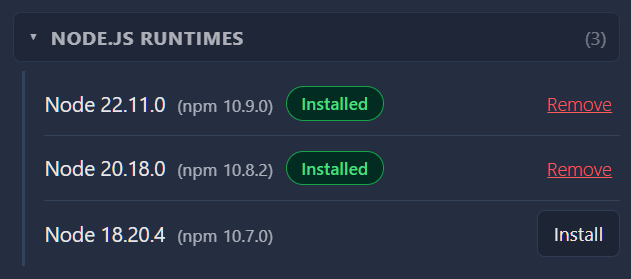
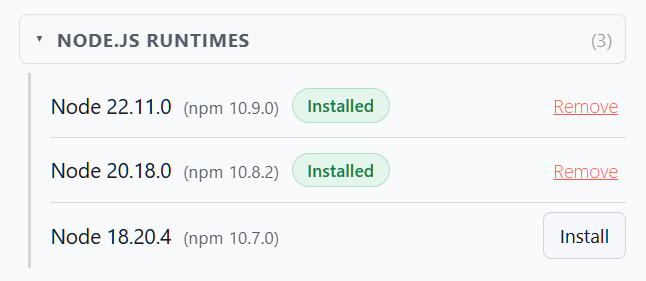
Open Manage Binaries in ForgeKit and install a Node version from the Node.js Runtimes section, same as installing a PHP version.
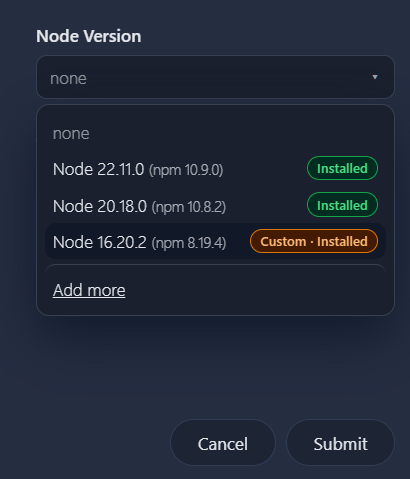
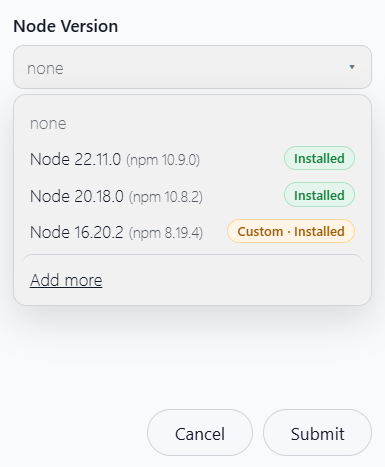
Then assign it to a site from the Add Site or Edit Site modal.
Using Node / npm / npx / Yarn / pnpm
There are two ways to run Node commands against the right version, same as PHP (see Terminal Integration):
- Click Open Terminal for a site.
node(and npm/npx/corepack/yarn/pnpm, since they live alongside it) are already on that terminal's PATH, so plain commands work directly:
node -v
npm install
npm run dev
npx vite build
- From any other terminal, prefix commands with
fkit. This resolves the right site/Node version from your current folder, without needing to open a terminal through ForgeKit first:
fkit node -v
fkit npm install
fkit npm run dev
fkit npx vite build
Yarn and pnpm are available too, via Corepack (bundled with Node, enabled automatically the first time you use them for a given Node version):
fkit yarn install
fkit pnpm install
To verify which Node version is being used for the current site:
fkit which node
npm version
Each Node version ships with a matching npm version bundled in. ForgeKit shows the npm version next to each installed Node version in Manage Binaries, for example Node 22.11.0 (npm 10.9.0).
If you need a different npm version on top of a given Node install, you can install it directly:
fkit npm install -g npm@8
This only changes npm inside that specific Node version's folder. It doesn't affect any other Node version and doesn't touch anything outside ForgeKit.
If you want to try a different npm version without permanently changing anything, use npx instead. It downloads and runs a version once without modifying your Node install:
fkit npx npm@8 install
Custom Node binaries
Like PHP, Apache, and the databases, you can bring your own Node build via custom-binaries.json if you need a version ForgeKit doesn't list by default. See Binaries and Runtimes for details.
Common issues
-
npm install runs against the wrong Node version This means you're in a plain terminal that wasn't opened through ForgeKit's Open Terminal button, and you're not prefixing the command with
fkit. Either open the terminal for that site from ForgeKit, or runfkit npm ...instead of barenpm .... Barenode/npmin any other terminal are unaffected by ForgeKit and run whatever you already had installed globally. -
Site has no Node version assigned
fkit node/fkit npmwill show a clear error if the current site doesn't have a Node version assigned yet. Assign one from the Edit Site modal. -
Yarn/pnpm command not found The first
fkit yarn/fkit pnpmcall for a given Node version enables Corepack automatically, which needs network access to fetch the actual Yarn/pnpm package the first time.